Omnisend AI


 OFFER
OFFER










Omnisend is the best Brevo alternative, with plans from $16/month, ahead of Klaviyo from $20/month and ActiveCampaign from $19/month. What separates them is the job each is for: personalization, prediction, and pipelines. MailerLite and Bento are also worth considering.
Brevo’s volume-based pricing suits infrequent senders and large lists but can work out more expensive than contact-based tools when your send-to-contact ratio is high. The Free and Starter plans also restrict your active automation reach to 2,000 contacts.
Five tools are detailed below, each suitable for ecommerce but with different strengths. We’ll review their costs and features, and share what we found when testing them.
Brevo alternatives compared
| Tool | Best for | Billed on | Entry and paid plan | Product recommendations |
|---|---|---|---|---|
| Omnisend | Segmentation and personalization for stores | Contacts | Free for 250 contacts and 500 emails; paid from $16/month at 500 contacts | Best-selling, recently added, most viewed, plus recently viewed and similar to past purchases |
| Klaviyo | Predicting what a customer does next | Active profiles | Free for 250 active profiles and 500 emails/month; paid from $20/month for 500 profiles | Rule-based feeds: recently viewed, added to cart, best-selling, filtered by category, stock, and price |
| ActiveCampaign | Automation and a sales pipeline | Contacts | From $19/month at 1,000 contacts | Up to four items from a Shopify collection or WooCommerce category, sorted by best selling, recently added, or price. Plus, $59 |
| MailerLite | Simple newsletters on a small budget | Subscribers | Free for 250 subscribers and 2,500 emails; paid from $12/month at 500 subscribers | Product block pulls from your connected store or MailerLite products |
| Bento | Technical teams that trigger email from their own events | Active users | From $29/month for up to 5,000 active users | Liquid templating; loop cart contents or pull from RSS, JSON, or an external feed |
| Brevo, for reference | A large list emailed infrequently | Monthly email volume, contact cap per tier | Free for 300 emails a day and 100,000 contacts; paid from $9/month at 5,000 sends and 500 contacts | Pick up to nine items manually; feeds need Professional |
Accurate as of September 2026.
Why are people looking for Brevo alternatives?
Storage caps push small lists onto the $32 tier
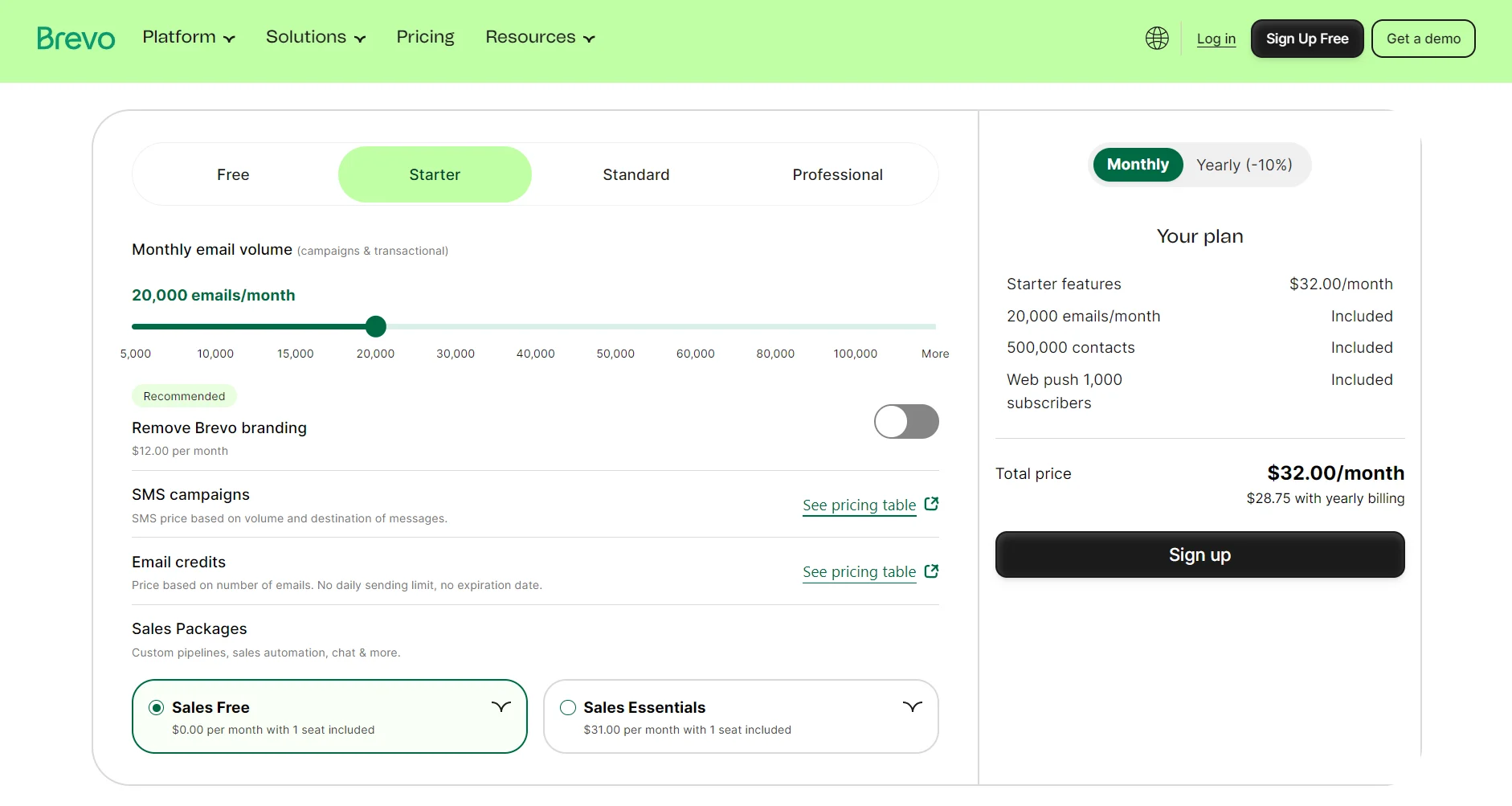
Brevo’s Starter and Standard plans cap your contacts: the 5,000-send tier has 500 contacts, 10,000 gives you 1,500, and 15,000 stores 2,500. Storage at the 20,000-send tier increases to 500,000 contacts, at $32/month.
A 3,000-contact list mailed monthly uses 3,000 of a 5,000-send allowance but still needs the $32 plan. You pay for sends you won’t use because the storage sits behind them, and your email marketing costs are higher than they could be.
Important ecommerce features are gated behind a $499/month plan
The $499/month Professional plan gates multiple features that your store could need. These include AI product recommendations, pop-ups, email frequency management, reusable content sections, multi-branch testing, dynamic coupons, and pre-built analytics dashboards.
Not all Brevo alternatives include these features in their cheap email marketing plans, but most provide them at a lower price than Professional’s starting point.
Human support is email-only until the Professional plan
Support in Brevo runs through a ticketing system in the backend. Response times for tickets, based on our testing, are less than one working day. Only Professional plans receive phone support and a deliverability specialist.
There isn’t an option for live chat with a human in any plan. Aura AI has a chatbot that answers questions, but it won’t connect you to a human. That isn’t ideal when you have a question that’s too complex for it to answer, and you don’t have time to wait for a ticket.
Free and Starter plans cap active automations at 2,000 contacts
Unlimited automation reach requires the Standard plan, which doubles your cost to $18/month and stores the same 500 contacts.
Once you hit the cap, new contacts stop entering your automations. Your welcome series and cart abandonment flows carry on running for everyone already inside them. The people signing up while you’re over the limit never receive them.
The count is cumulative according to Brevo support; it covers every contact that has ever entered a workflow, and it never resets. Transactional emails sent through the application programming interface (API) don’t count toward it.
Accounts are suspended automatically
When you send to a freshly imported list, Brevo samples how part of it performs. You’ll know within one to three hours. If your hard bounces pass 2%, unsubscribes pass 1%, complaints pass 0.2%, or you hit a single spam trap, your campaign and account are suspended together.
A first suspension is reversible from the Deliverability Center. A second isn’t. Brevo won’t reactivate the account, and your subscription keeps billing while you can’t send.
Omnisend’s $16/month Standard plan has the AI segment builder, the Forms AI assistant, pop-ups, and 24/7 support. A 12x contact send limit supports your high send-to-contact ratio without purchasing additional emails. Brevo’s $18/month Standard plan has none of these features and only includes 5,000 emails with storage for 500 contacts.
> Compare Omnisend plans.
Additional reading
Read our complete Brevo review to find out more about its strengths and limitations.
Brevo alternatives
Our top Brevo alternatives are Omnisend, Klaviyo, ActiveCampaign, MailerLite, and Bento. None of them are cheaper than Brevo at more than 10,000 contacts, because its 20,000-send tier stores up to 500,000. That same structure works against it when your send volume is high.
Click any of the jump links below to skip to a tool:
1. Omnisend, best for segmentation and personalization without the enterprise price
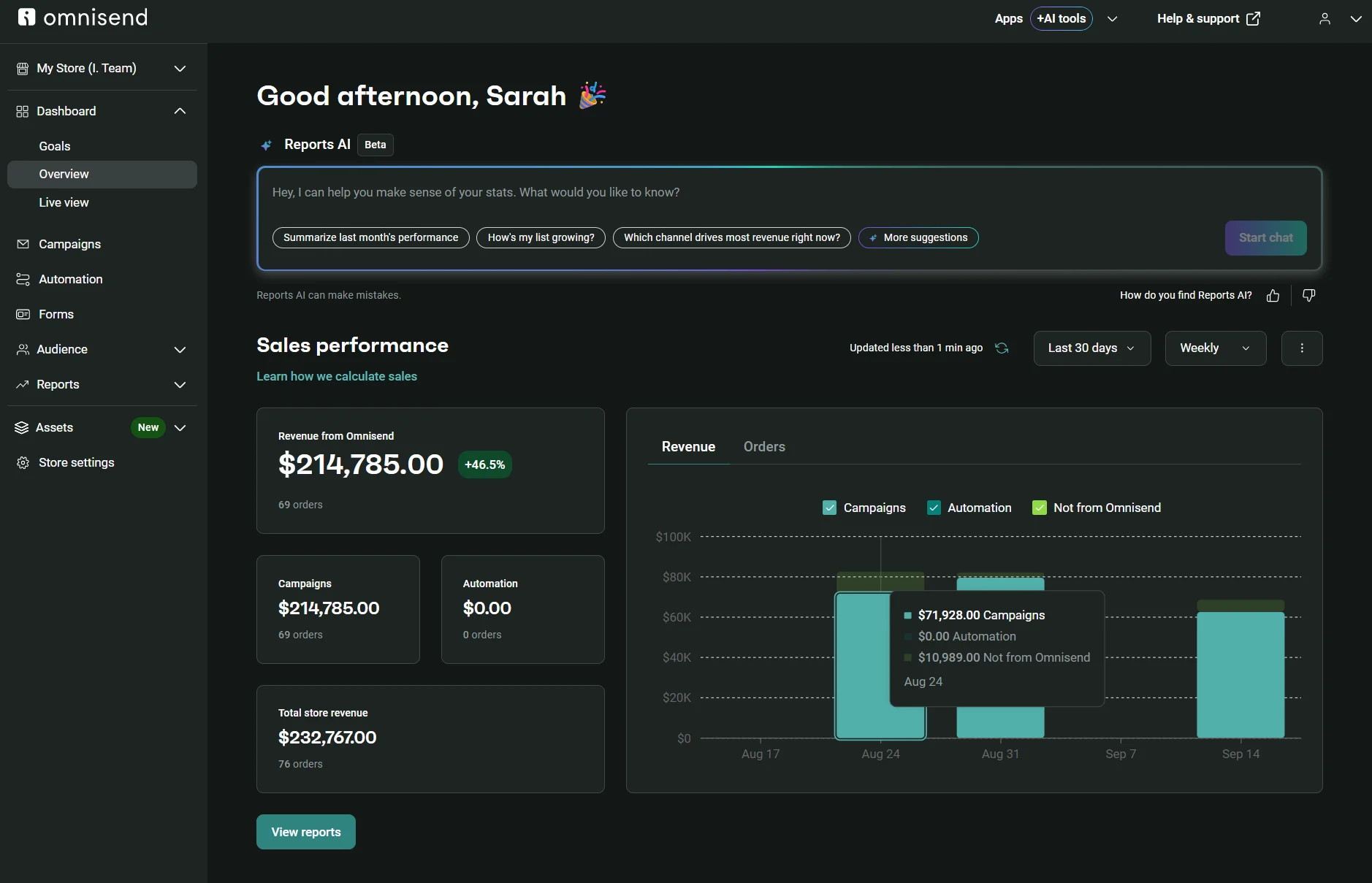
Omnisend is an ecommerce-first Brevo alternative with 30+ automation and segmentation templates, and 250+ email templates. Brevo has fewer options: 19 automation templates, 28 segmentation templates, and 53 email templates.
Automations can use any combination of email, SMS, and web push to reach customers. All paid plans have unlimited web push, and SMS is available in Pro. Brevo includes web push from Starter with a cap at 1,000 subscribers, rising to 10,000 on Standard.
What Omnisend costs
Omnisend’s Standard plan is better value than Brevo’s Standard plan at 500, 1,500, and 2,500 contacts. Brevo Starter is cheaper still, but its automations only reach 2,000 contacts. The comparison that matters is against Standard.
Brevo is cheaper for a large list at 20,000 sends, because that tier in Starter and Standard includes storage for 500,000 contacts.
| Contacts | Brevo Starter | Brevo Standard | Brevo sends/month | Omnisend Standard | Omnisend Pro |
|---|---|---|---|---|---|
| 500 | $9 | $18 | 5,000 | $16 | – |
| 1,500 | $17 | $35 | 10,000 | $25 | – |
| 2,500 | $25 | $49 | 15,000 | $44 | $59 |
| 10,000 | $32 | $69 | 20,000 | $132 | $150 |
| 20,000 | $32 | $69 | 20,000 | $265 | $375 |
Accurate as of September 2026.
Omnisend Pro starts at 2,500 contacts. It has unlimited email sends, and the Standard plan has a 12x contact send multiplier. It works out cheaper than Brevo when you have a high send-to-contact ratio.
A working example: Brevo Professional costs $499/month for 150,000 emails, whereas Omnisend Standard sends that volume for $188/month to a list of 12,500 mailed 12 times. Brevo throws in storage for 2,000,000 contacts, which you might never use.
If you need text messaging, SMS pricing is an additional bill in Omnisend and Brevo. Omnisend’s bundles start from $10/month for 1,111 U.S. credits and renew each month. Brevo’s credits are prepaid and roll over, priced from $1.09 for 100 credits.
Where the two platforms gate features
| On Omnisend | On Brevo | |
|---|---|---|
| Pop-ups | Free Forever | Professional, $499 |
| Landing pages | Free Forever | Standard, $18 |
| AI segmentation | Free Forever | Professional, $499 |
| Back-in-stock alerts | Free Forever | Starter, $9 |
| A/B testing | Free Forever | Standard, $18 |
| Dynamic coupons | Free Forever | Professional, $499 |
| Web push notifications | Free Forever | Starter, $9 |
| SMS | Pro, $59 | Free |
| Migration service | Free for customers with 250+ contacts | Not available |
| Account Expert | Paid plans with >$400/month in spend | Professional, $499 |
| Customer support | Free Forever: 24/7 live chat and email | Free to Standard: Email only; phone support in Professional |
Accurate as of September 2026.
AI features in Omnisend vs. Brevo
| AI feature | On Omnisend | On Brevo |
|---|---|---|
| Segment builder | ✅ All plans | ✅ Professional, $499 |
| Form builder | ✅ Standard, $16 | ❌ Not available |
| Automation builder | ❌ Not available | ✅ All plans |
| Customer lifecycle maps | ✅ All plans | ❌ Not available |
| Subject line generator | ✅ All plans | ✅ All plans |
| Writing assistant | ✅ All plans | ✅ All plans |
| Reports analysis | ✅ Standard, $16 | ❌ Not available |
| Product recommendations | ✅ Pro, $59 | ✅ Professional, $499 |
| Send time optimization | ✅ Pro, $59 | ✅ Standard, $18 |
| Model Context Protocol (MCP) | ✅ All plans | ✅ All plans |
Accurate as of September 2026.
Testing Omnisend
There’s more of an ecommerce focus to Omnisend’s capabilities than in Brevo.
The email segmentation templates are built for online stores, with deal hunters, window shoppers, at risk to churn, and frequent store visitors all getting a template. For anything not covered, there’s the AI segment builder.
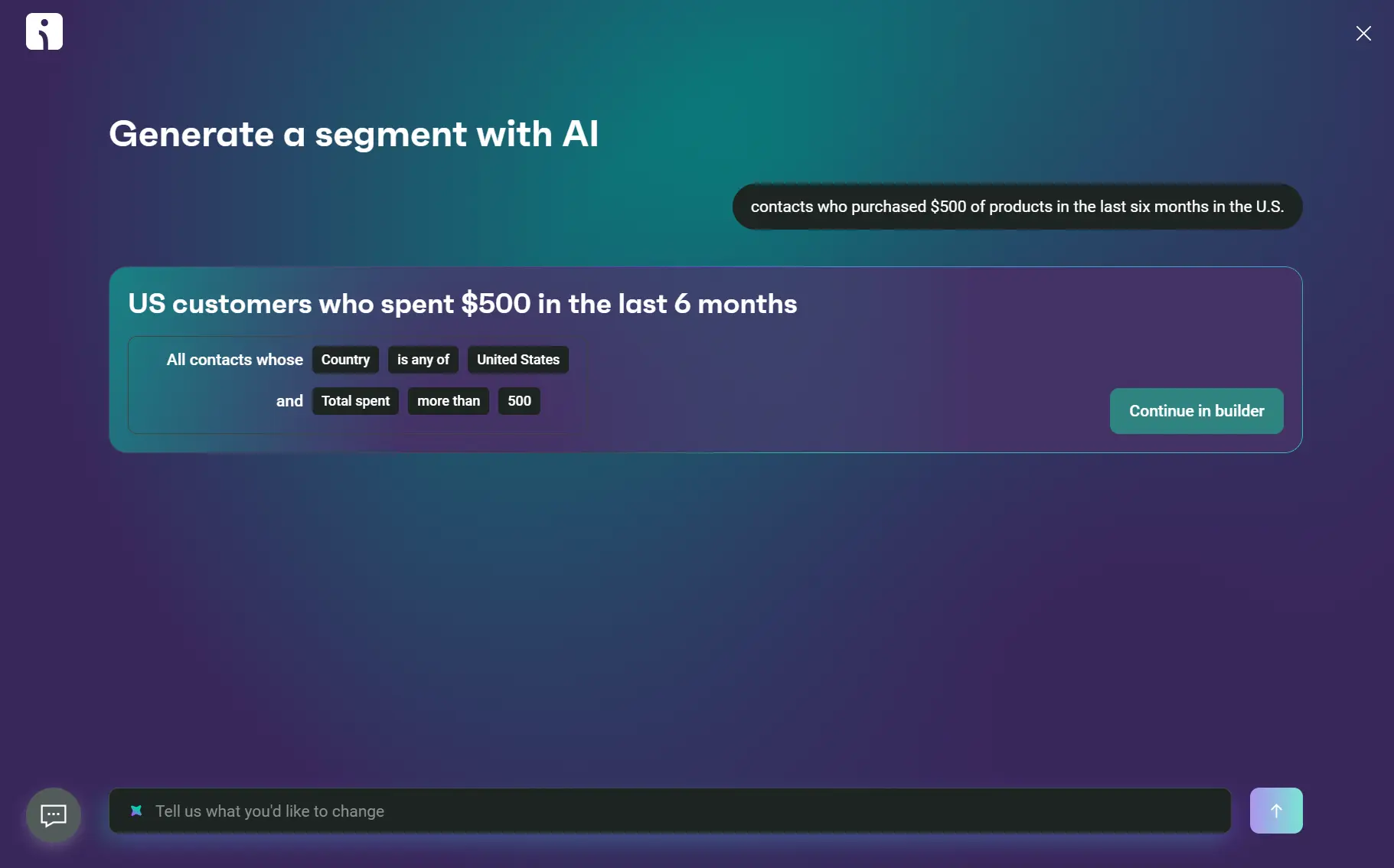
We asked AI to create the segment “U.S. customers who spent $500 in the last six months,” which it completed in four seconds. Only Brevo’s Professional and Enterprise plans let you build segments with AI; Omnisend includes the feature in all plans.
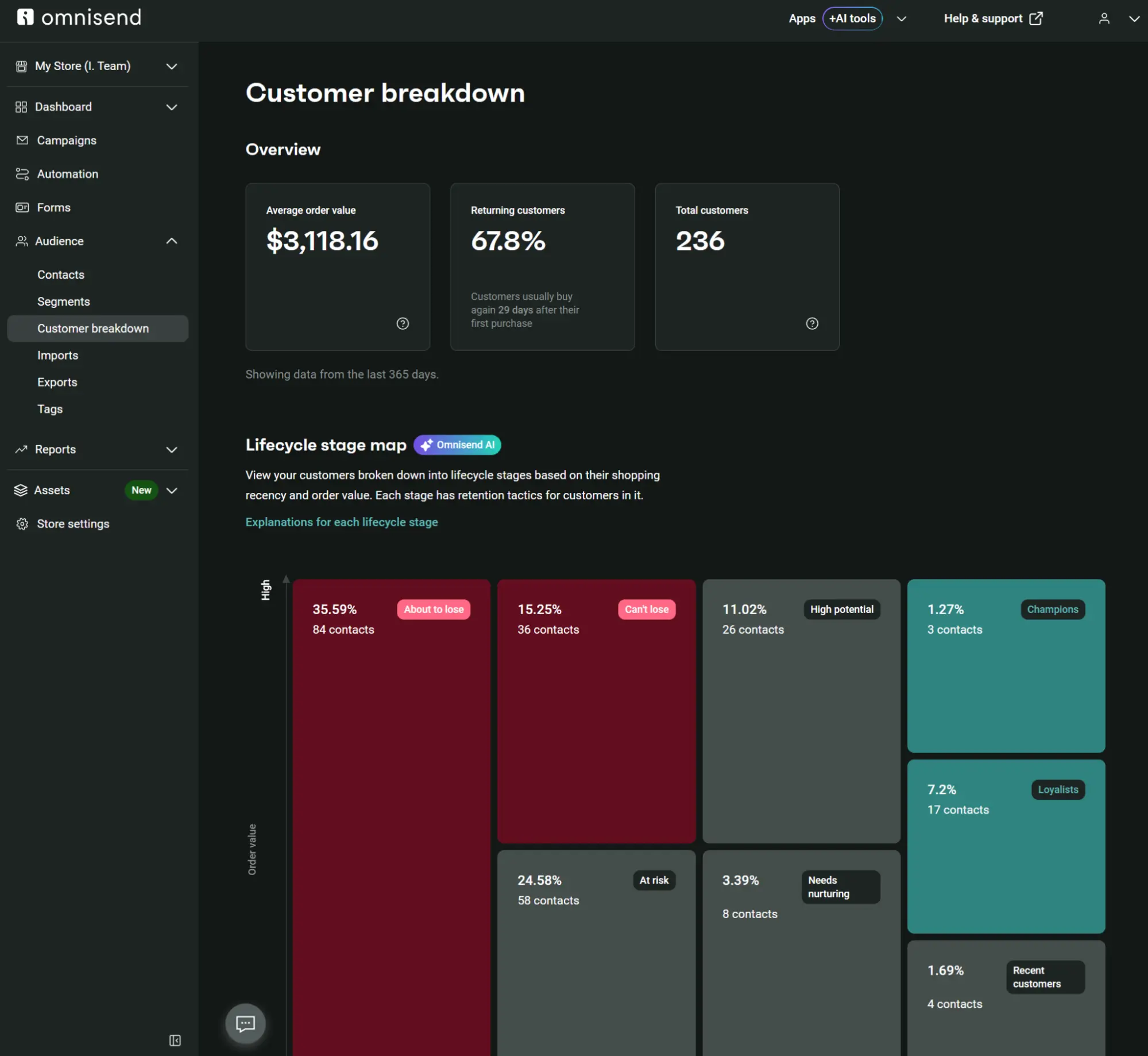
Another feature for ecommerce that Brevo lacks is the Customer breakdown. It has lifecycle stage maps based on AI recency, frequency, and monetary value (RFM) analysis, with eight lifecycle stages and retention recommendations.
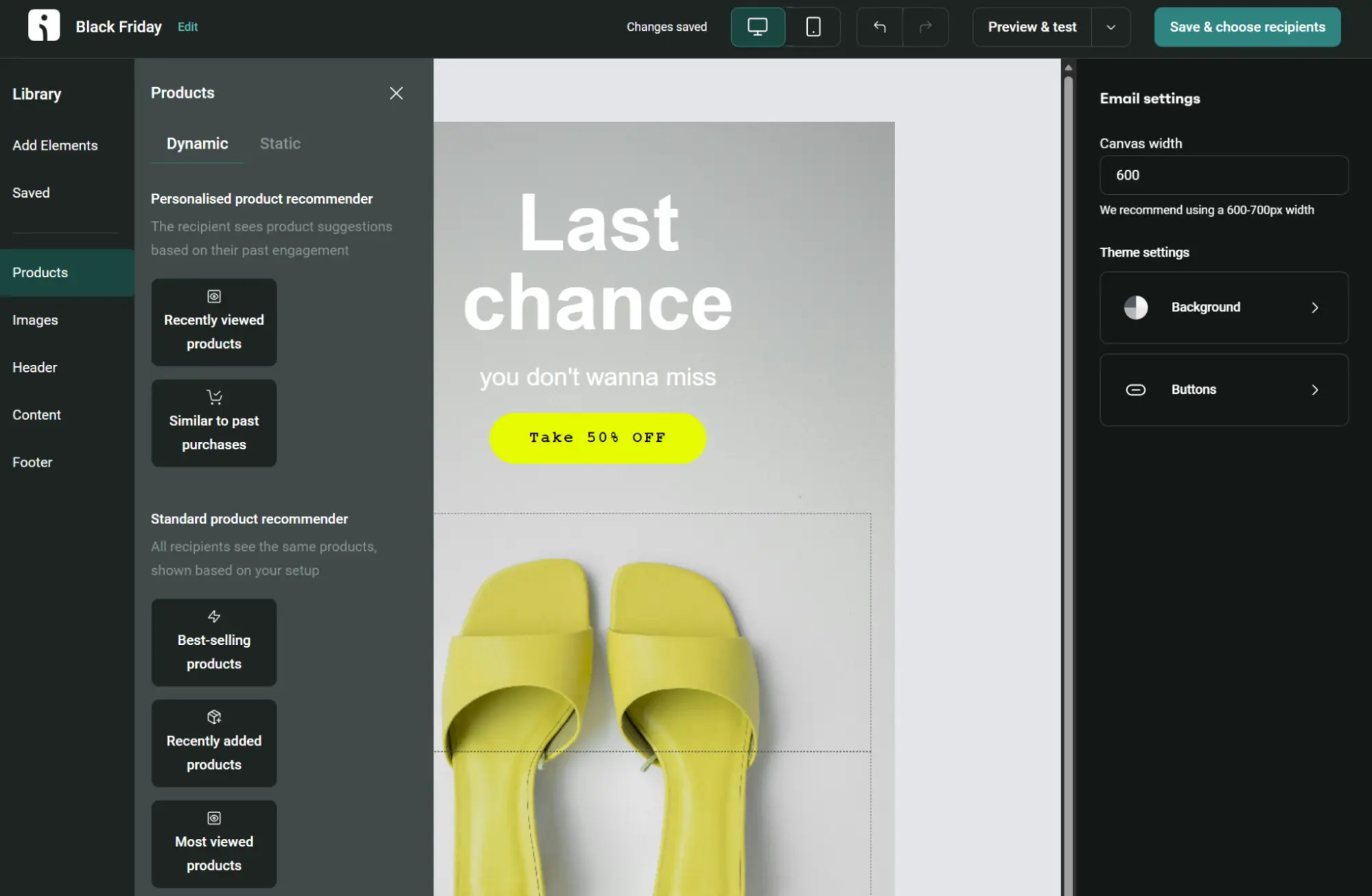
Your emails can have personalized product recommendations with Dynamic or Static blocks. AI blocks include Recently viewed products and Similar to past purchases; there are also Best-selling products, Recently added products, and Most viewed products options.
Brevo’s product block requires manually selecting up to nine products. Only Professional and Enterprise plans allow product feeds for Recently viewed and personalized recommendations.
The limit: Omnisend doesn’t have a CRM system or sales pipelines. All Brevo plans include 50 open deals and one sales pipeline. If your business relies on Brevo’s deals, tasks, and other CRM features, these won’t move to Omnisend.
Interested in Omnisend? Read our detailed Omnisend vs. Brevo comparison.
2. Klaviyo, best for predicting what a customer does next
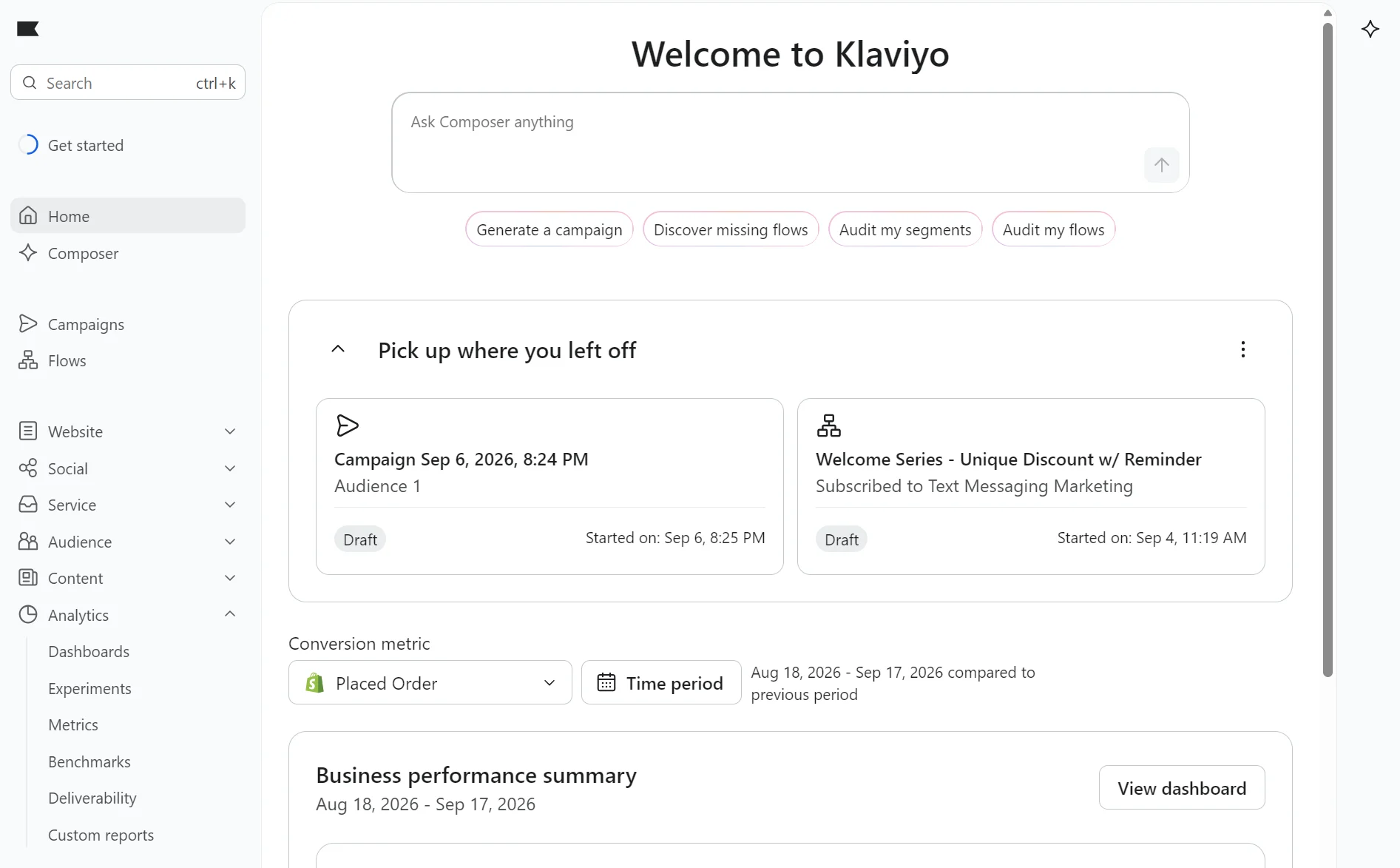
Klaviyo reads your order history and forecasts what happens next, provided you have a connected ecommerce store and at least 500 customers have placed an order.
It predicts when a customer will buy again and what they are worth over their lifetime. You can trigger emails or build segments from either prediction.
Klaviyo pricing vs. Brevo
Klaviyo is more expensive than Brevo’s Starter plan at all contact tiers, although it stays within $10/month of Brevo Standard at 1,500 contacts.
| Contacts/active profiles | Brevo Starter | Brevo Standard | Brevo sends/month | Klaviyo |
|---|---|---|---|---|
| 500 | $9 | $18 | 5,000 | $20 |
| 1,500 | $17 | $35 | 10,000 | $45 |
| 2,500 | $25 | $49 | 15,000 | $60 |
| 10,000 | $32 | $69 | 20,000 | $150 |
| 20,000 | $32 | $69 | 20,000 | $375 |
Accurate as of September 2026.
Klaviyo uses active profile billing; active profiles are any contacts you can email that aren’t unsubscribed or suppressed. You must manage your list to avoid the next contact tier. All tiers have a send limit of roughly 10x active profiles.
Testing Klaviyo
Klaviyo recommends flows with AI based on integration type and has 60+ pre-built templates. We connected a Shopify store, and it recommended four flows: Browse Abandonment, Customer Winback, Customer Thank You, and Post-Purchase Follow-up.
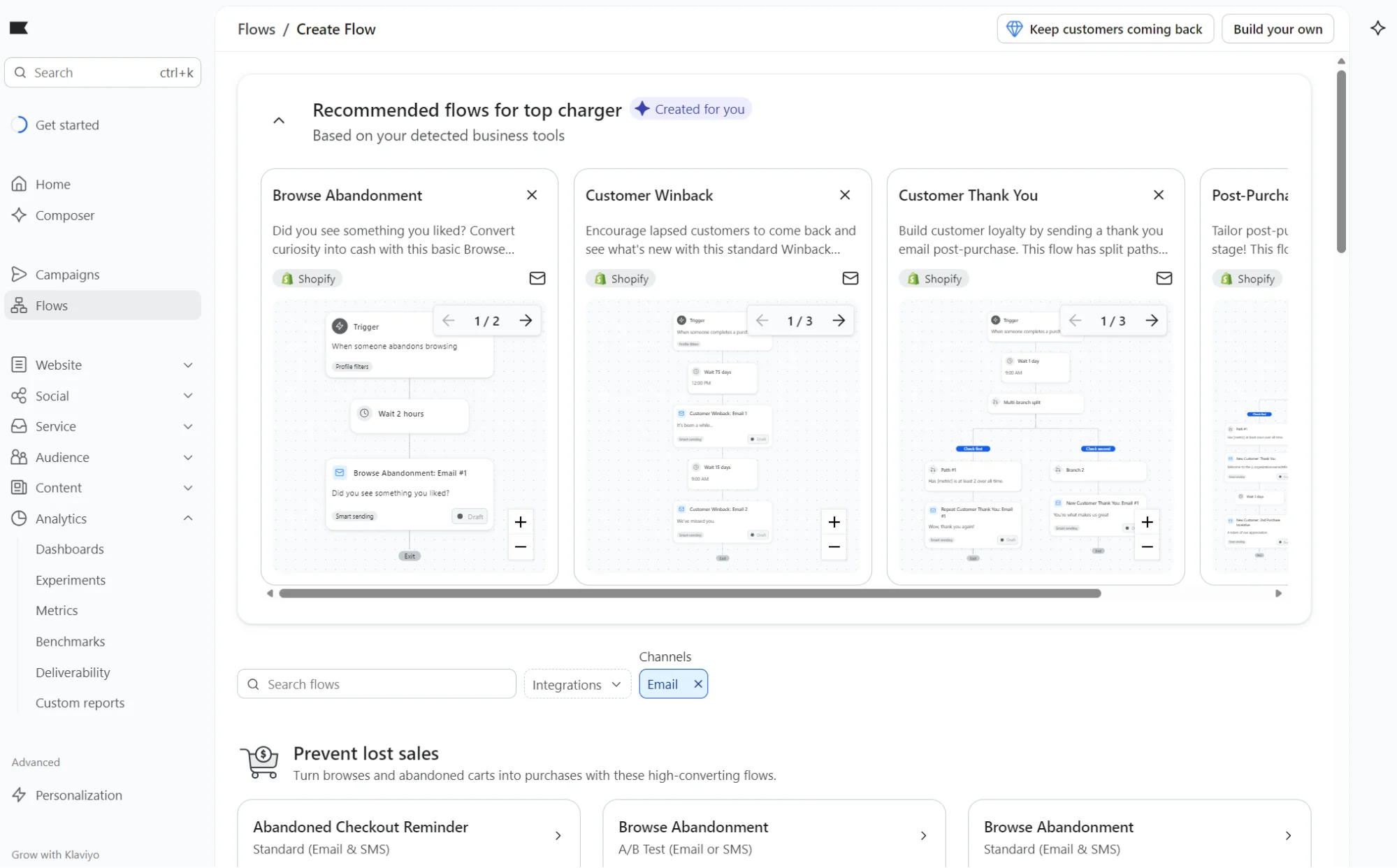
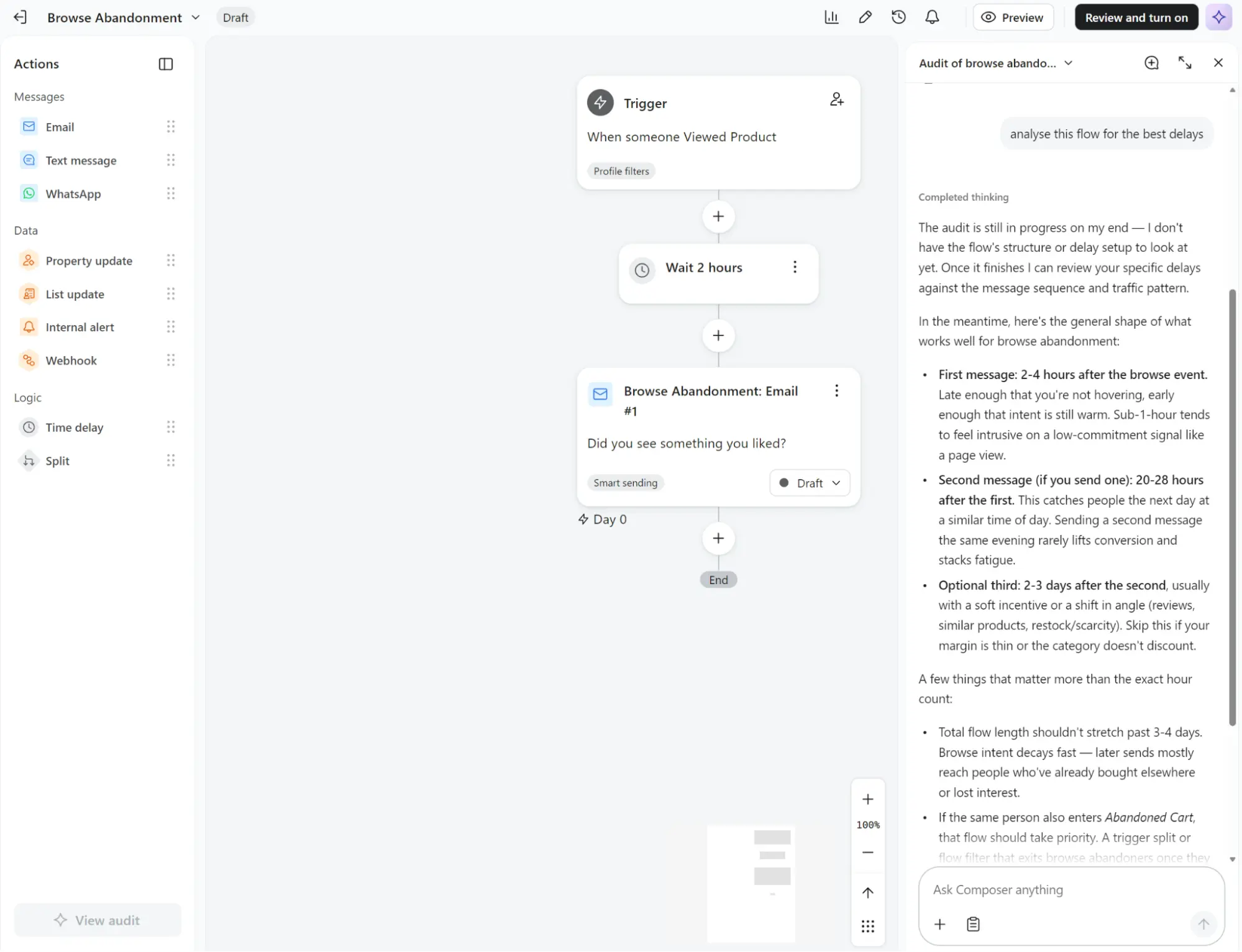
The flow builder is drag-and-drop, with fewer elements to select than Brevo’s. Actions include Email, Text message, and WhatsApp. There are four Data and two Logic elements.
It lacks Brevo’s three-step setup guide, but has an Audit flow button, which analyzes it for errors and recommends actions. We asked it to analyze our browse abandonment flow for delays, and it recommended a structure for a three-part series.
The limit: Klaviyo’s most advanced features require multiple paid add-ons, such as Composer credits and Personalization for better reporting. It doesn’t have a sales CRM or native support for web push notifications; Brevo has both.
Additional reading
Compare more tools in our Klaviyo alternatives article. We also have an in-depth Klaviyo vs. Omnisend comparison.
3. ActiveCampaign, best for automation and a sales pipeline
Your automation in ActiveCampaign can branch on any segment condition, loop contacts back to an earlier step, and move a deal through pipeline stages once you add the Enhanced CRM. There are 950+ recipes to start from. Brevo gives you 19 templates.
ActiveCampaign pricing vs. Brevo
ActiveCampaign is more expensive than Brevo at all contact tiers. It has a higher initial contact threshold of 1,000. At 1,000 contacts, ActiveCampaign’s $19/month Starter plan is $2/month more than Brevo Starter for the same contact count.
| Contacts | Brevo Starter | Brevo Standard | Brevo sends/month | ActiveCampaign Starter | ActiveCampaign Plus |
|---|---|---|---|---|---|
| 500 | $9 | $18 | 5,000 | – | – |
| 1,000 | $17 | $35 | 10,000 | $19 | $59 |
| 2,500 | $15 | $49 | 15,000 | $49 | $119 |
| 10,000 | $32 | $69 | 20,000 | $189 | $239 |
| 20,000 | $32 | $69 | 20,000 | $389 | $409 |
Accurate as of September 2026.
Brevo’s Starter tier at 20,000 sends holds up to 500,000 contacts. Both 10,000 and 20,000 contacts are inside that cap; the price and send allowance don’t change. Both the Starter and Plus tiers cap sends at 10x your contact limit. All plans use contact-based pricing.
There are two additional ActiveCampaign plans: Pro from $89/month for 1,000 contacts, and Enterprise from $159/month for the same contact count.
Testing ActiveCampaign
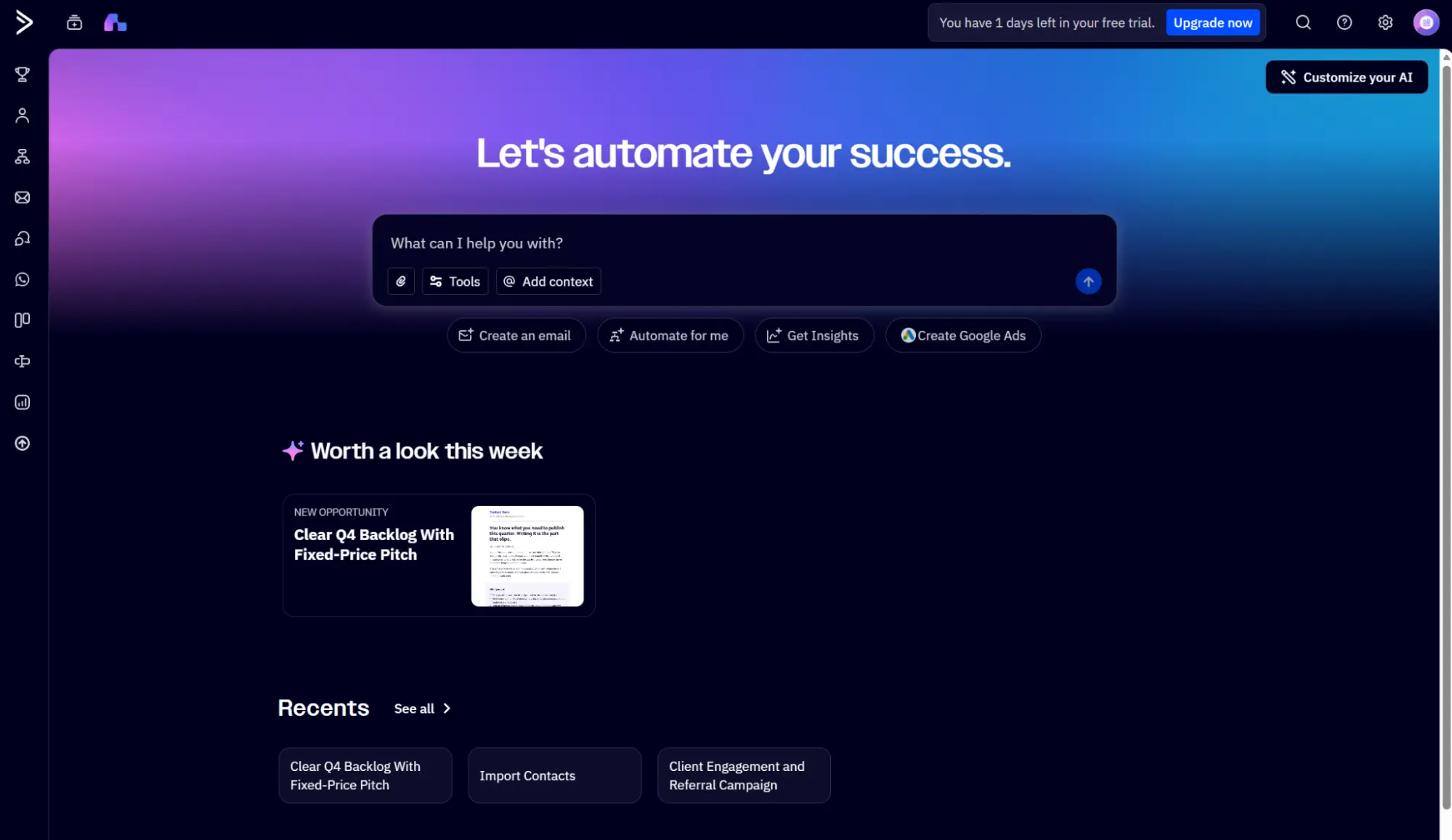
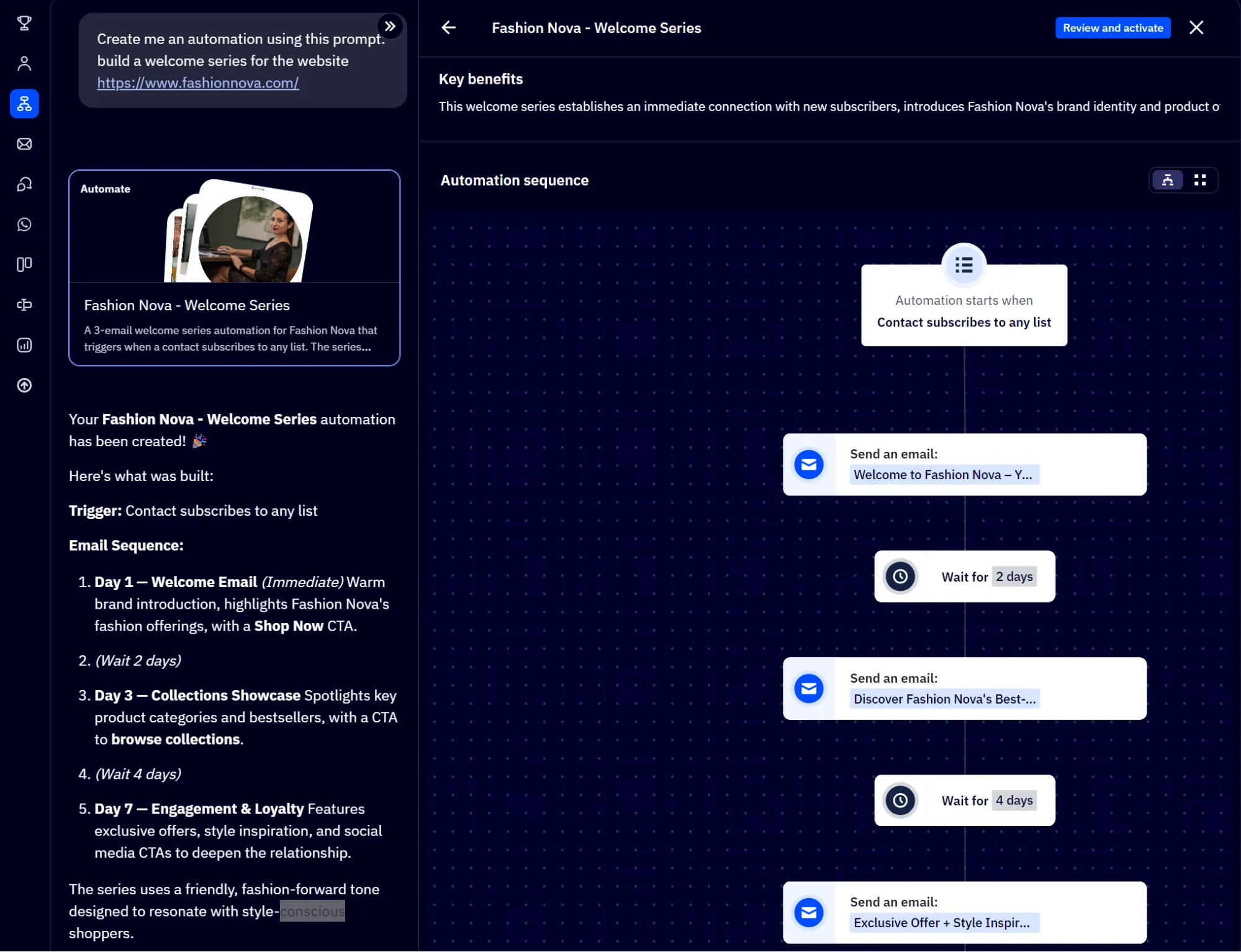
Active Intelligence takes center stage in ActiveCampaign. It can generate an automation and a segment with prompts and provides a visual when complete.
We asked it to create a welcome sequence for a third-party website and received not only an automation, but an explanation for the sequence. It pulled information from the domain and generated content for the emails from scratch.
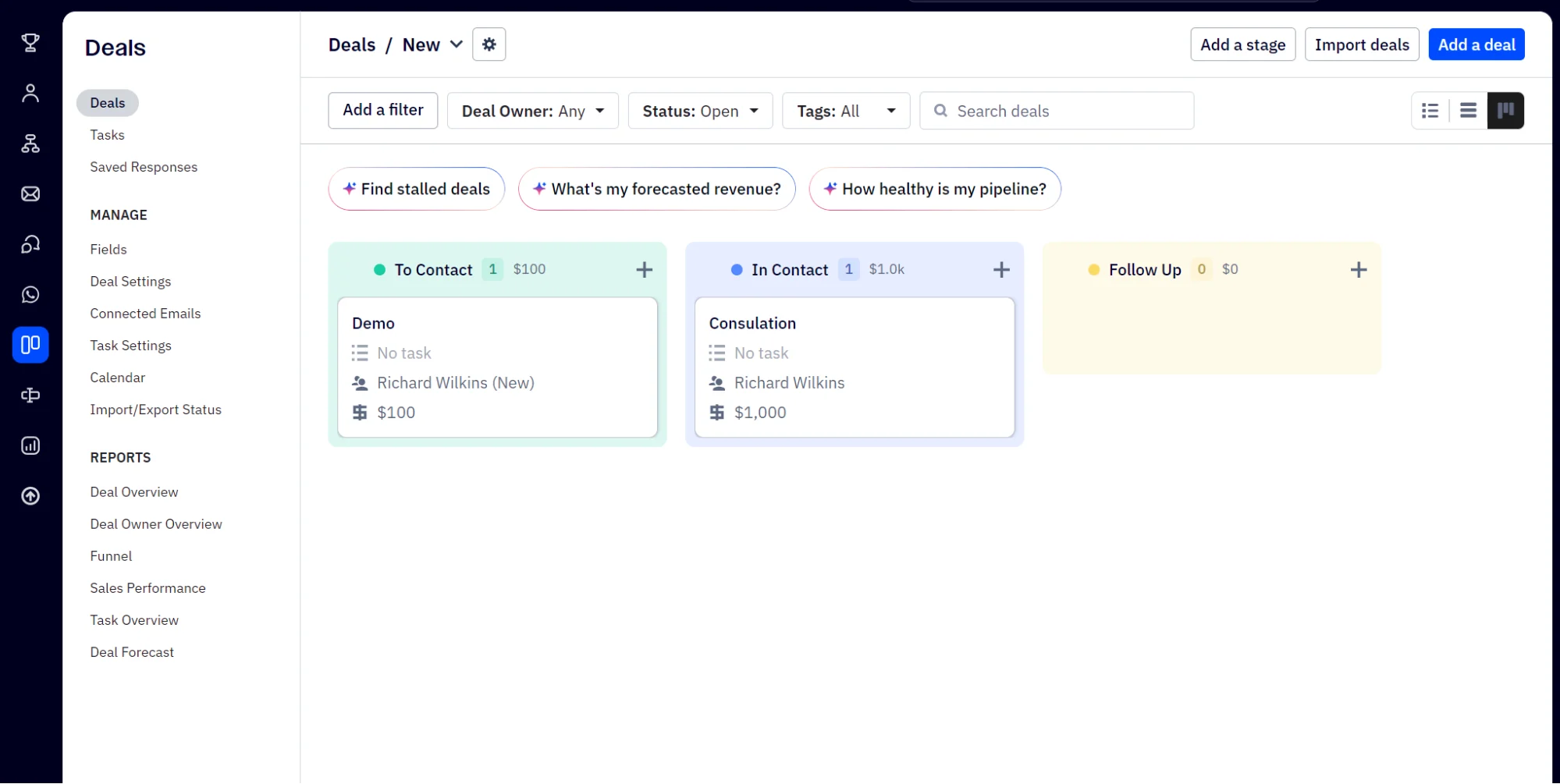
The Deals dashboard in ActiveCampaign can replace Brevo’s. It lets you create Tasks for contacts and assign team members. AI buttons for “Find stalled deals,” “What’s my forecasted revenue?” and “How healthy is my pipeline?” will save you time when you have lots of pipelines.
The limit: ActiveCampaign has four segmentation levels from Starter to Enterprise; Brevo has no such restrictions. Transactional email isn’t included in ActiveCampaign without a paid add-on, regardless of spend. The Enhanced CRM is also a paid add-on.
4. MailerLite, best for simple newsletters on a small budget
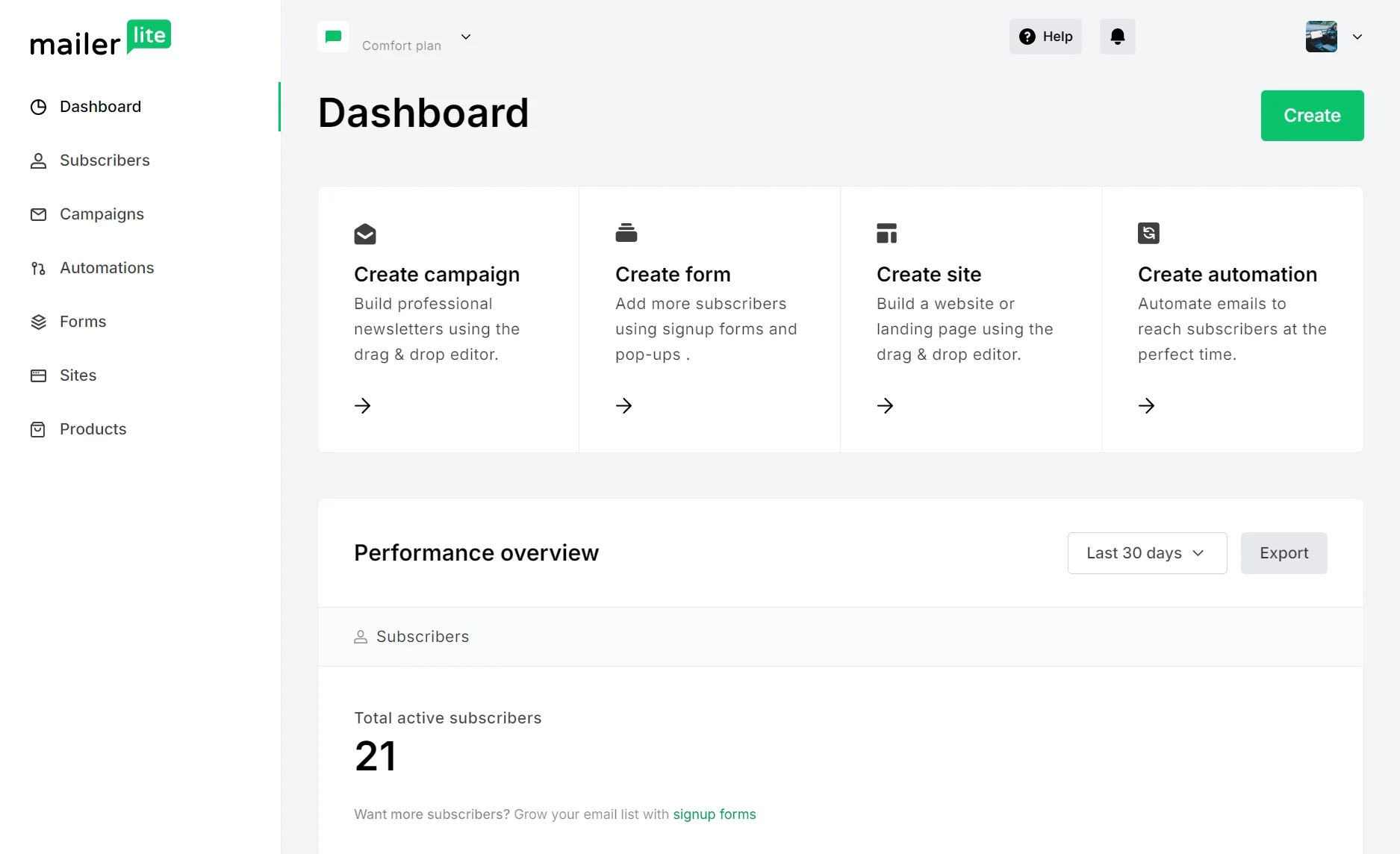
Newsletters are where MailerLite earns its place as a Brevo alternative. Comfort at $12/month gives you unlimited templates, 50 automations, and 10 landing pages. Your store loses SMS, web push, and the abandoned cart trigger on Shopify; Brevo offers all these.
MailerLite pricing vs. Brevo
MailerLite Comfort costs more than Brevo Starter at every tier, though it’s within $3/month at 500 contacts and $2/month at 1,000. Against Brevo Standard, it’s cheaper until 2,500 contacts, where Power and Standard both cost $49. Brevo is cheaper from there.
| Contacts | Brevo Starter | Brevo Standard | Brevo sends/month | MailerLite Comfort | MailerLite Power |
|---|---|---|---|---|---|
| 500 | $9 | $18 | 5,000 | $12 | $25 |
| 1,000 | $17 | $35 | 10,000 | $19 | $39 |
| 2,500 | $25 | $49 | 15,000 | $33 | $49 |
| 10,000 | $32 | $69 | 20,000 | $89 | $129 |
| 20,000 | $32 | $69 | 20,000 | $159 | $219 |
Accurate as of September 2026.
MailerLite charges for the number of subscribers you have. Contacts who are unsubscribed or bounce don’t count toward your quota.
Testing MailerLite
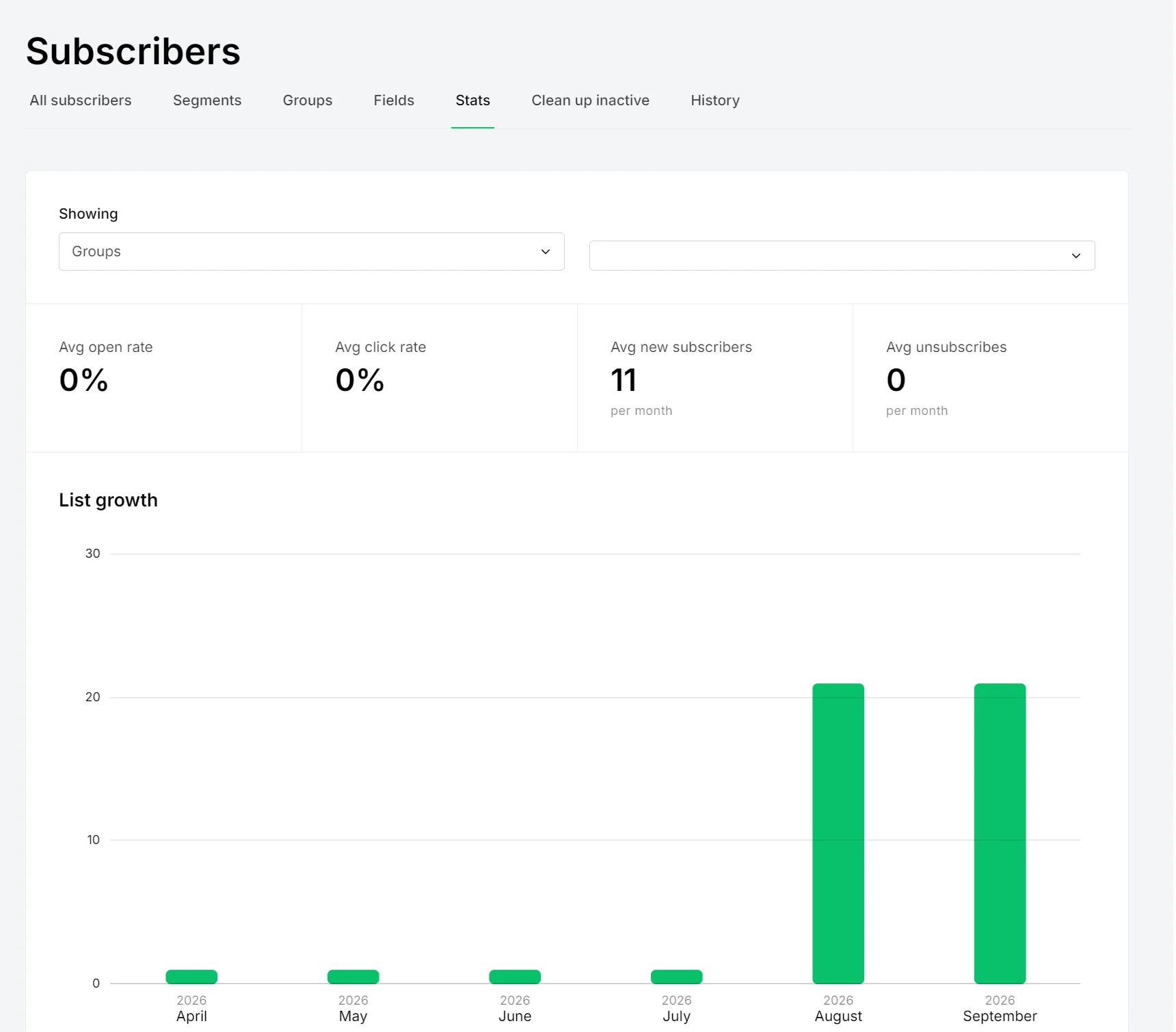
We signed up for MailerLite’s Comfort plan and uploaded a list of 21 subscribers. The Subscribers dashboard has tabs for All subscribers, Segments, Groups, Fields, Stats, Clean up inactive, and History.
We like the Stats tab, which has a dropdown for All subscribers and Groups. Selecting Groups provides a breakdown of average open rate, click rate, new subscribers, and unsubscribes per segment, plus a monthly bar chart for list growth.
The Campaigns dashboard has options to create an email with a drag-and-drop editor, a simple editor, or a custom HTML editor.
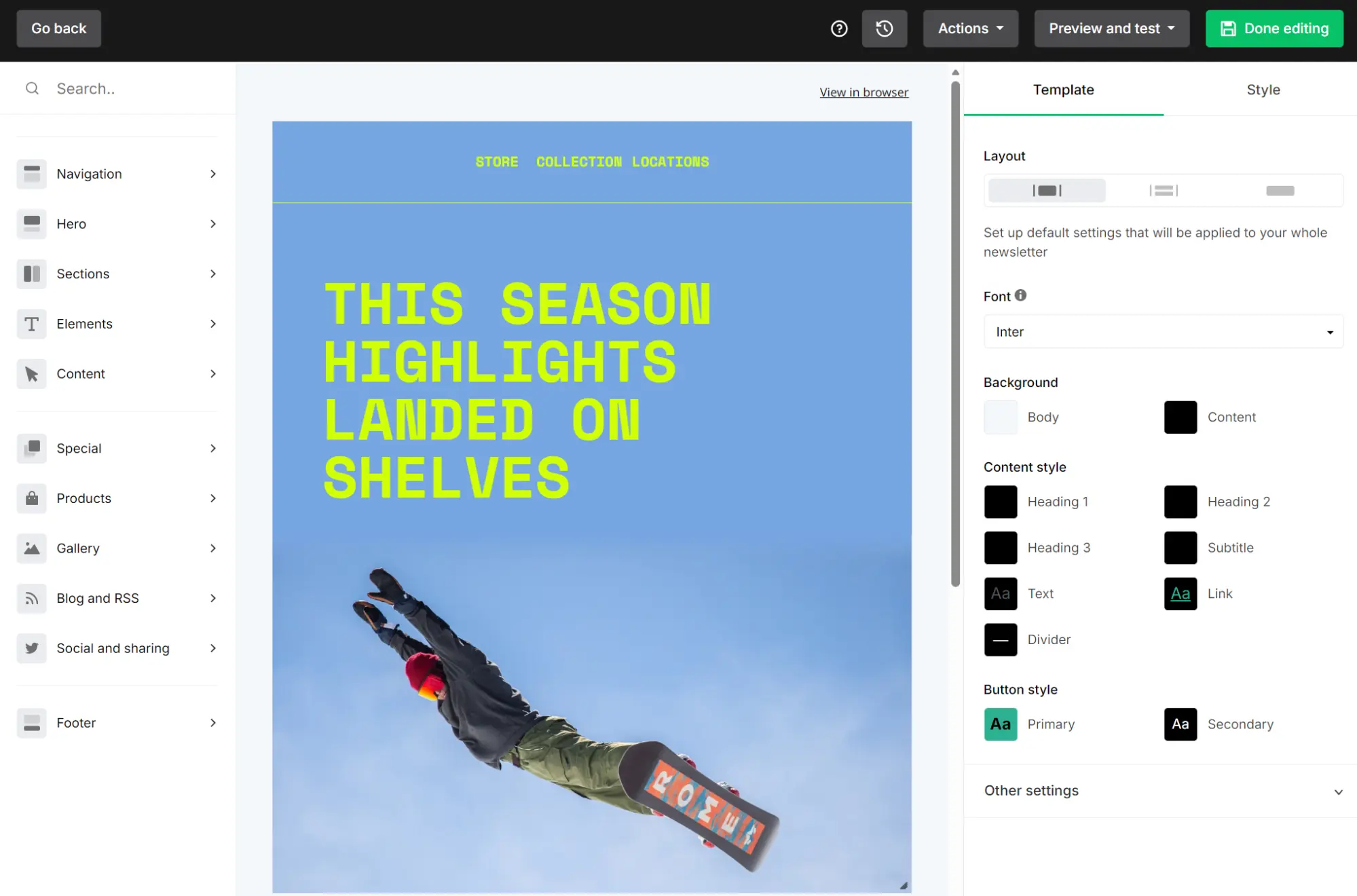
We selected a pre-built template to test the drag-and-drop editor. Unlike Brevo’s editor, which lists blocks to drag into the template, MailerLite’s builder has hoverable sidebar items with a slide-out menu. It’s a logical way to move around the editor and speeds up build times.
The limit: MailerLite doesn’t support SMS or push notifications like Brevo. If you have a Shopify store, its abandoned checkout flow only triggers for returning customers who have placed at least one previous order. The abandoned cart trigger isn’t available on Shopify at all.
5. Bento, best for technical teams
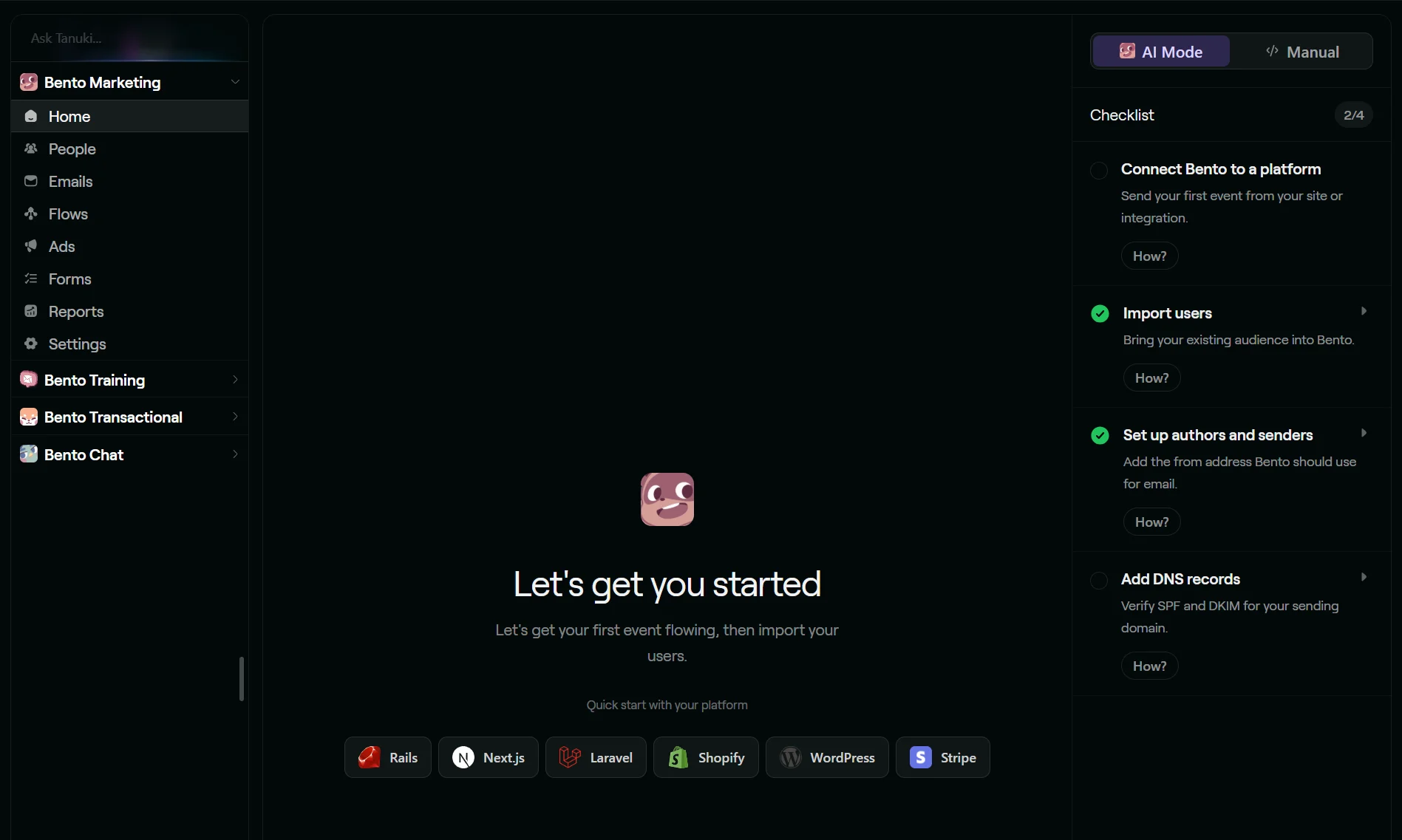
Developers and teams should consider Bento’s unrestricted marketing feature access and Chat platform, a paid add-on with a CRM, a shared inbox, and conversations. Setup requires technical know-how for events, tags, and code.
Bento pricing vs. Brevo
Bento is cheaper than Brevo for 5,000 active users, but not beyond that. It undercuts both Brevo’s Starter and Standard plans at that count, and at 10,000 active users, it’s $10/month more expensive than Brevo Standard.
| Contacts/active users | Brevo Starter | Brevo Standard | Brevo sends/month | Bento Marketing Platform |
|---|---|---|---|---|
| 5,000 | $32 | $69 | 20,000 | $29 |
| 10,000 | $32 | $69 | 20,000 | $79 |
| 15,000 | $32 | $69 | 20,000 | $129 |
| 20,000 | $32 | $69 | 20,000 | $179 |
Accurate as of September 2026.
Brevo’s price stays flat because every row here sits inside the 500,000-contact allowance at the 20,000-send tier. Bento charges per active user, with unlimited marketing sends on paid plans.
Testing Bento
Bento has a checklist for importing users, setting up authors and senders, and adding DNS records on the dashboard. Tanuki AI (Bento’s AI assistant) is available on the Home screen for setup questions and other queries.
Setting up an email happens in the Emails dashboard. Broadcasts and Sequences are listed there, although automations are inside a separate Flows dashboard.
The flow builder lacks Brevo’s guided setup; instead, Tanuki AI asks what you want to automate and will build your automation with the events and tags in place.
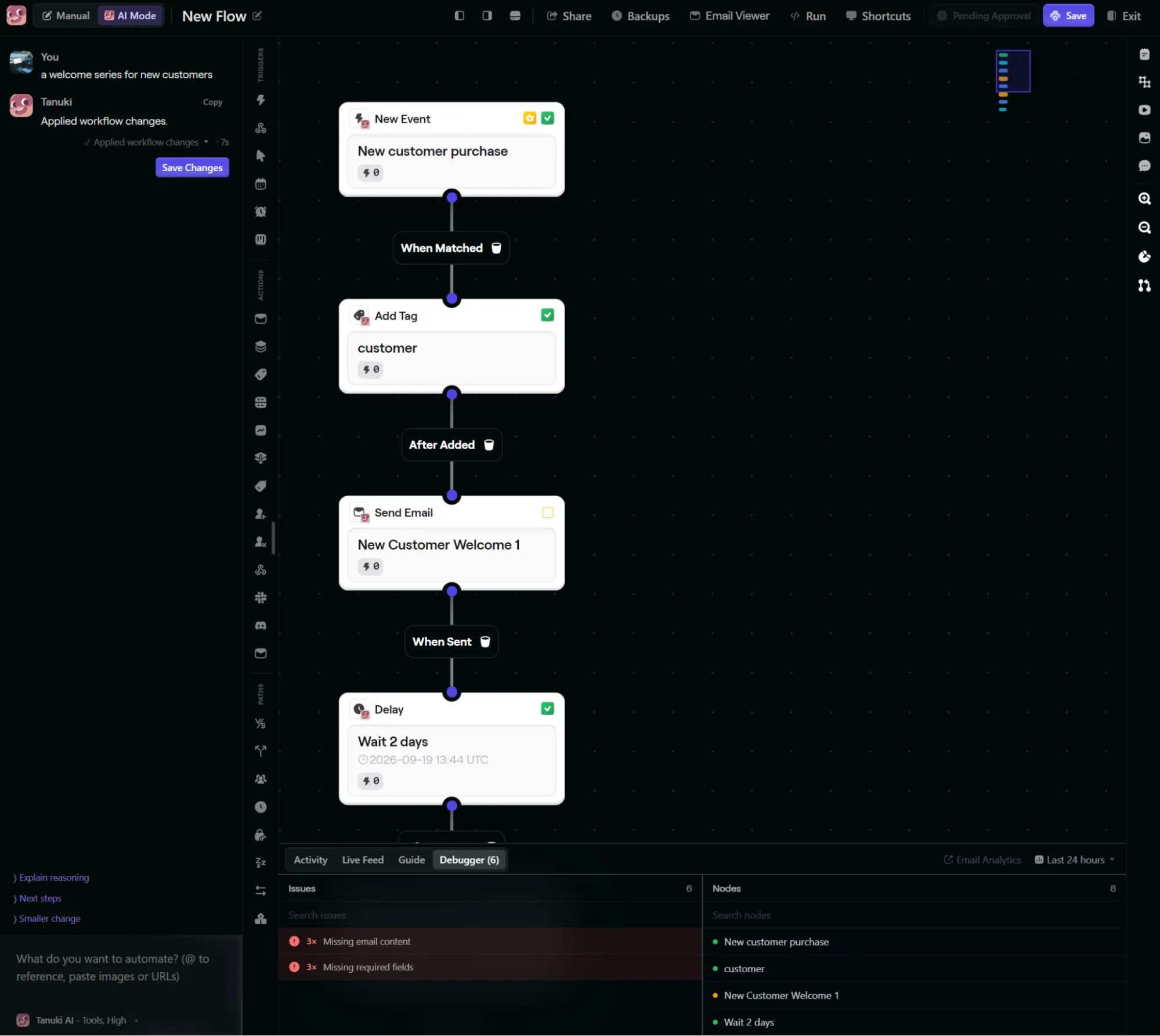
We asked it to build a welcome series for new customers; it gave us a three-part series with all delays configured. It saved at least five minutes in build time. The rest of the flow builder isn’t as well-labeled as Brevo’s; icons lack descriptions and require guesswork to figure out.
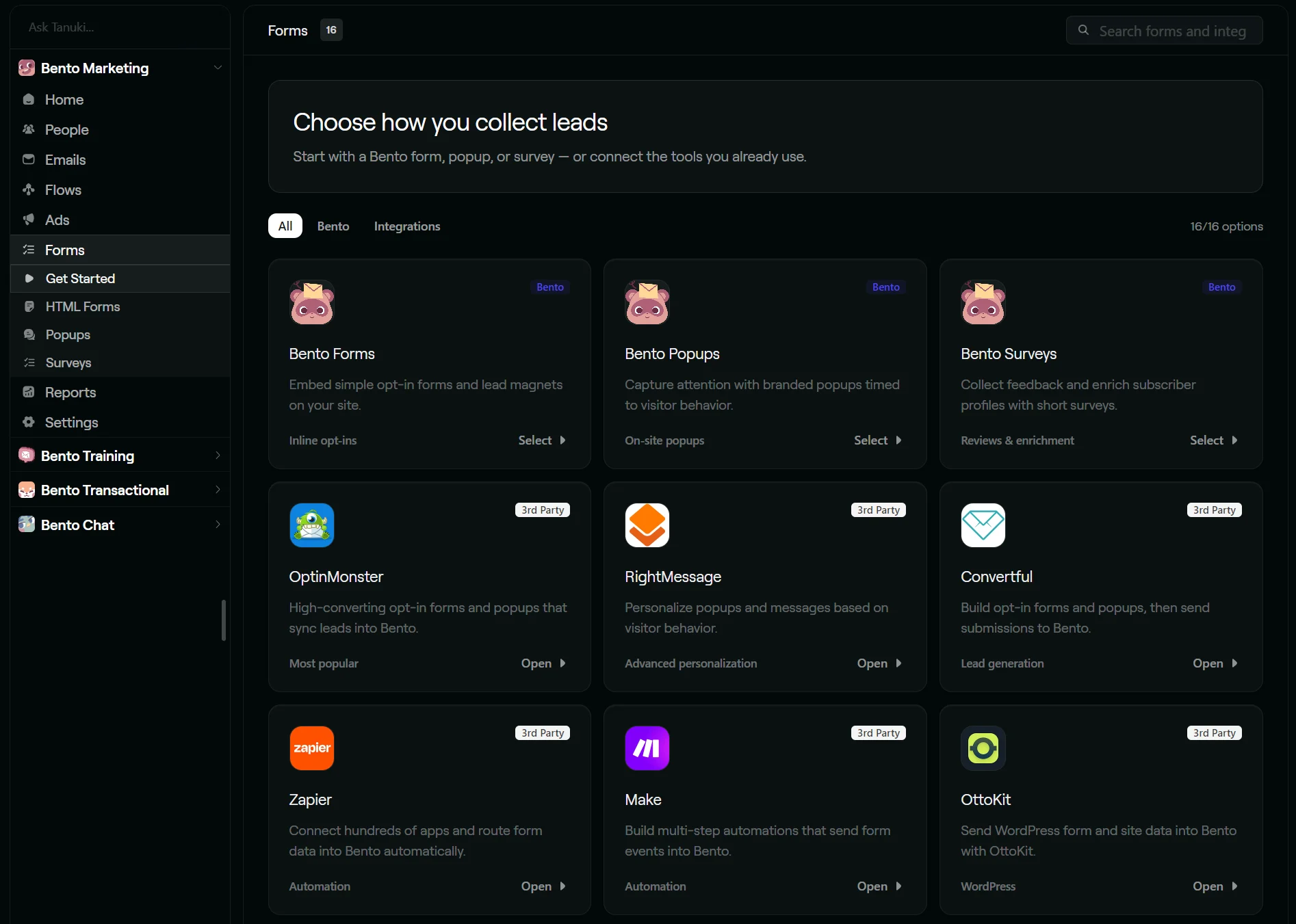
An element we do like is how the Forms dashboard is laid out. Bento shows Forms, Popups, and Surveys at the top, plus available integrations below.
The limit: Transactional emails are not included in the Marketing Platform; these are a separate product priced from $5/month above the first 100 up to 12,500 sends. Bento Chat, an important feature for teams, is a $30/month add-on.
Email Tools Guide has an in-depth Bento review if you’d like to know more.
Which Brevo alternative fits which situation
If you want ecommerce features included in all plans
Omnisend offers the best value, from $16/month for 500 contacts. It doesn’t gate pop-ups, AI segments, landing pages, A/B testing, or back-in-stock alerts behind paid plans. It is also the only tool in our list that has AI customer lifecycle maps included in all plans.
If you trigger emails from events and have a developer
Bento at $29/month for up to 5,000 active users with unlimited marketing sends, and quick-start integrations for Rails, Next.js, Laravel, Shopify, WordPress, and Stripe.
If you primarily send newsletters and want the cheapest way to do it
MailerLite at $12/month for Comfort; it supports 500 subscribers with a 10x contact send limit and has access to unlimited templates.
If you have a high sales volume and want predictions from it
Klaviyo. The $20/month plan for 500 active profiles and 5,000 emails has predictive analytics. The Personalization add-on from $100/month provides more advanced data, such as behavior funnels with cohort analysis.
If some of your sales need a person involved
ActiveCampaign from $59/month on Plus for 1,000 contacts, which is the cheapest plan that can take the Pipelines enhanced CRM add-on. The add-on covers pipeline management, deal records, account records, and lead scoring.
If Brevo’s free plan is what you’re replacing
Omnisend’s Free Forever plan supports 250 contacts and 500 emails/month across marketing and transactional sends. Another free Brevo alternative worth considering is MailerLite Free, for 250 contacts and 2,500 emails.
What switching from Brevo costs at 100,000 contacts
Switching to Omnisend Standard with 100,000 contacts costs an additional $868/month compared to Brevo’s $32/month Starter plan. You get 1,200,000 emails in return instead of Brevo’s 20,000 monthly limit. The nearest send quota in Brevo is 1,000,000 with the Professional plan, at $999/month. Omnisend is cheaper at that send volume.
Similar send limit increases are available across Klaviyo, ActiveCampaign, MailerLite, and Bento. Klaviyo has the highest cost at 100,000 contacts.
| Tool | Monthly cost for 100,000 contacts | What it includes |
|---|---|---|
| Brevo | $32, Starter | 20,000 emails |
| Omnisend | $900, Standard | 12x contact send limit, 1,200,000 emails |
| Klaviyo | $1,380 | 10x contact send limit, 1,000,000 emails |
| ActiveCampaign | Custom price: 50,000 contacts costs $609 (Plus) | 10x contact send limit, 1,000,000 emails |
| MailerLite | $439, Comfort | 10x contact send limit, 1,000,000 emails |
| Bento | $929 | Unlimited sends |
Accurate as of September 2026.
Conclusion
Brevo handles a large list mailed a few times a month better than anything else here. Starter gives you 500,000 contacts and 20,000 sends at $32/month, and a 100,000-contact list mailed twice a year sits comfortably inside that.
Send more emails to your contacts, and the math can work in favor of a contact-based tool. You might also have a lower budget and still want pop-ups, dynamic coupons, and AI segments without spending at least $499/month.
Omnisend has those three features from $16/month with a 12x send limit, though there’s no CRM to replace Brevo’s.
Klaviyo suits a store with years of order history to predict from. ActiveCampaign fits when some of your sales need a person. MailerLite keeps a newsletter going at $12/month, and Bento suits a team with a developer.
Quick sign up | No credit card required