Omnisend AI


 OFFER
OFFER










Misjudge Constant Contact pricing, and you will face unexpected overage fees the minute your subscriber list grows. To calculate your actual bill, you need to look at the true Constant Contact costs, including specific plans, hidden add-on fees, and how they compare to alternatives.
In this guide, we’ll break down exactly what you will pay at every level. We’ll cover the value behind Constant Contact plans and pricing so you can decide if it’s the tool you need, and whether it fits your budget.
Quick sign up | No credit card required
Constant Contact pricing: A quick overview
Constant Contact plans and pricing TL;DR
- Free plan: No
- Free trial: Yes, 14 days (as seen in their CTA button)
- Pricing tiers:
- Lite: Starting at $12/month
- Standard: Starting at $35/month
- Premium: Starting at $80/month
- Nonprofit discounts:
- 20% for a 6-month prepay discount
- Up to 30% for a 12-month prepay discount
- Marketing channels: Email, SMS (US only), Facebook, Instagram, LinkedIn, Google Ads
- Feature limitations:
- Lite plan lacks advanced features like A/B testing and segmentation
- Standard plan lacks custom automation paths and Facebook and Google ads
- Paid add-ons for inbox previews and SMS marketing
- Comparison with competitors:
- More limited features in affordable plans vs. competitors
- Platforms like Omnisend offer a generous free plan (up to 250 contacts), A/B testing, and multi-channel marketing at lower tiers
- Best for: Ecommerce beginners and nonprofit organizations
To understand the full Constant Contact cost, you’ll need to look beyond the advertised starting price. The base plans might seem affordable at first glance, but the actual monthly bill leans heavily on your contact list size, sending frequency needs, and whether you pay upfront to get a discount.
Constant Contact offers three main pricing tiers:
- Lite: Starting at $12/month
- Standard: Starting at $35/month
- Premium: Starting at $80/month
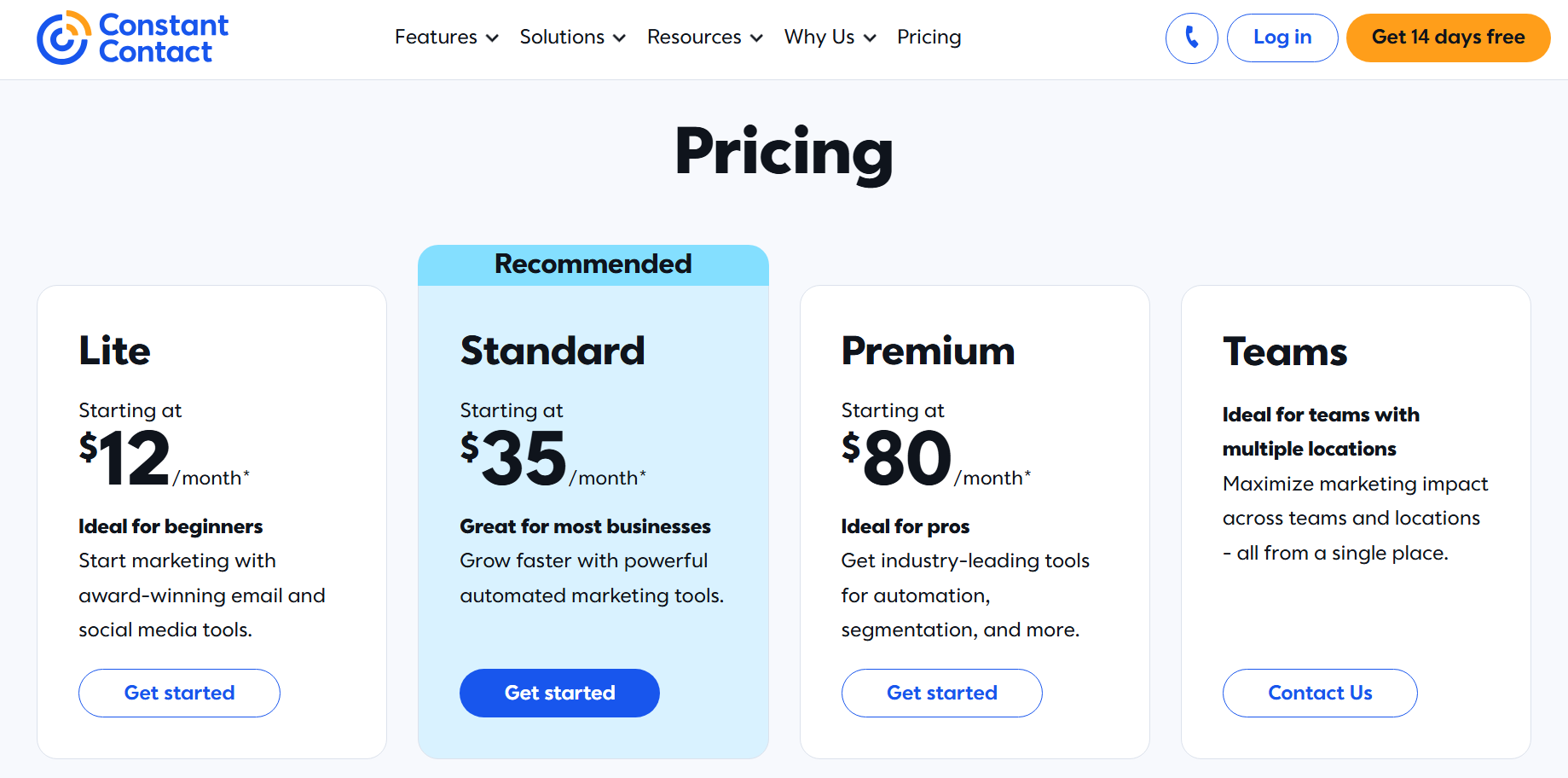
When you outgrow the starter tier, the costs jump significantly, and it may leave your business paying far higher prices than you’d expect.
Here’s a breakdown of how Constant Contact scales its prices based on subscriber counts:
| Contacts | Lite (/month) | Standard (/month) | Premium (/month) |
|---|---|---|---|
| 0-500 | $12 | $35 | $80 |
| 1,001-2,500 | $50 | $75 | $150 |
| 5,001-10,000 | $120 | $160 | $275 |
| 20,001-25,000 | $280 | $310 | $425 |
| 50,000+ | Custom | Custom | Custom |
Pricing verified June 2026
Each tier has different features, with higher tiers offering advanced capabilities like custom automation, segmentation, and A/B testing. A 30-day money-back guarantee provides a risk-free opportunity for users to see if Constant Contact’s costs are worth it for the features included.
Nonprofit organizations are given 20% discounts if they prepay six months in advance. To unlock a 30% discount on Constant Contact nonprofit pricing, qualifying organizations must prepay 12 months in advance.
Constant Contact email marketing pricing operates on a “send allowance” system. This means there’s a limit on the maximum number of emails you can send per month across Constant Contact plans:
- Lite: 10x your number of contacts
- Standard: 12x your number of contacts
- Premium: 24x your number of contacts
If you exceed this limit, you’ll incur overage fees charged at $0.002 per email.
Automated emails, such as welcome messages and abandoned cart reminders, are excluded from the email send allowance and overage fee calculation. The allowance only covers pre-scheduled campaigns, such as automatic resend to non-openers.
Additional costs:
- Overage fee: $0.002/email over the plan’s monthly send allowance. Automated emails are excluded from this fee.
Constant Contact plans and pricing: Cost by business size
Constant Contact rates scale significantly as your list grows, which means the initial price you see rarely reflects your long-term total cost of ownership. Because your subscription automatically bumps to higher pricing tiers when you cross specific subscriber thresholds, your monthly spend can increase quickly and unexpectedly.
To help you calculate your actual monthly costs beyond the entry-level starting price, we modeled five typical business scenarios.
The table below shows exactly how much businesses might pay based on their contact list size and chosen plan. To demonstrate how Constant Contact fees impact your bottom line, we included a column showing the cost if you exceed your monthly send allowance by 1,000 emails, which triggers an automatic $0.002 per-email overage charge.
| Business | Contacts | Lite plan | Standard plan | Premium plan | Cost with 1,000 extra sends |
|---|---|---|---|---|---|
| Small ecommerce store | 300 | $12/month | $35/month | $80/month | – Lite: $14 ($12 + $2) – Premium: $82 ($80 + $2)– Standard: $37 ($35 + $2) |
| Mid-sized ecommerce store | 2,000 | $50/month | $75/month | $150/month | – Lite: $52 ($50 + $2) – Premium: $152 ($150 + $2)– Standard: $77 ($75 + $2) |
| Mid-sized SaaS business | 8,000 | $120/month | $160/month | $275/month | – Lite: $122 ($120 + $2) – Standard: $162 ($160 + $2) – Premium: $277 ($275 + $2) |
| Large ecommerce business | 42,000 | $400/month | $430/month | $545/month | – Lite: $402 ($400 + $2) – Standard: $432 ($430 + $2) – Premium: $547 ($545 + $2) |
| Large international nonprofit | 52,000 | Custom Pricing | Custom Pricing | Custom Pricing | Custom + $2 |
Curious to see how Constant Contact stacks up against up to seven email marketing platforms?
Simply enter your contact list size to instantly calculate how much each platform will cost. This easy-to-use “provider pricing comparison tool” will help you find the best email marketing solution for your budget.
Compare email providers now
Constant Contact pricing plans: A deep dive
Understanding the three Constant Contact pricing tiers helps you match features to your actual needs, so you don’t overpay for tools you won’t utilize to their full potential. To make this easier, we broke down exactly what each level includes.
If you’re not into deep evaluations of Constant Contact plans and pricing, you can simply check the “Best for” labels in each section so you can quickly check whether that tier is theoretically good enough for your business size, type, and goals.
But before we do that, let’s take a quick look at the major differences between those three plans.
Constant Contact pricing tiers: What changes between plans?
Here are some major upgrades that you can expect to get when switching up to a more expensive plan:
| Feature | Lite | Standard | Premium |
|---|---|---|---|
| Onboarding | 1:1 onboarding | 1:1 onboarding | Priority onboarding |
| Live support | Live phone and chat support | Live phone and chat support | Dedicated priority support |
| User seats | 1 seat | 3 seats | Unlimited seats |
| Automation templates | 1 pre-built template | 3 pre-built templates | Unlimited access |
| Custom automations | Restricted | Restricted | Allowed |
| Additional features | Marketing campaign calendar, 300+ integrations | + Campaign Builder | + Revenue reporting and SEO recommendations |
| Ads | No ads | Social media ads manager | + Facebook Lookalike Ad targeting and Google Ads Manager |
Lite plan
Best for: Freelancers, solopreneurs, and small businesses with limited email marketing needs.
The Constant Contact Lite plan is an entry-level option designed for those who don’t require extensive marketing automation.
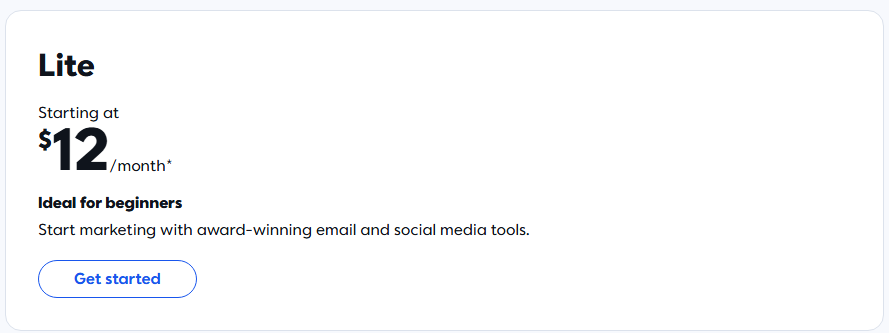
Constant Contact prices the Lite plan at $12/month for up to 500 contacts, which gives you access to the most basic email tools. This makes the Lite plan an attractive choice for those just starting out.
The true Constant Contact cost, however, becomes apparent when you consider the strict limitations: only a single user seat, restricted automation capabilities, restricted segmentation, only one automation template, and more.
This plan is ideal for individual entrepreneurs or small businesses that want to maximize their email marketing efforts without having to deal with advanced features like SMS marketing or complex automation.
After all, it provides a solid foundation for effective email marketing campaigns. The plan offers access to enough tools to create professional-looking emails and track basic performance metrics.
Key features of the Lite plan
- Basic contact segmentation
- Drag-and-drop email template builder
- Host events, sell products, and take payments
- Social media marketing and reporting
- Live phone and chat support
- AI copy generator
- Automated welcome email
Pros and cons of the Lite plan
| Pros | Cons |
|---|---|
| Affordable starting price | Limited to one user |
| User-friendly email builder | Lacks advanced automation capabilities |
| Includes social media tools | No A/B testing feature |
| AI-powered content suggestions | Basic contact management only |
| Good for beginners in email marketing | May become limiting as business grows |
Standard plan
Best for: Small to medium-sized businesses that require more robust automation and segmentation tools
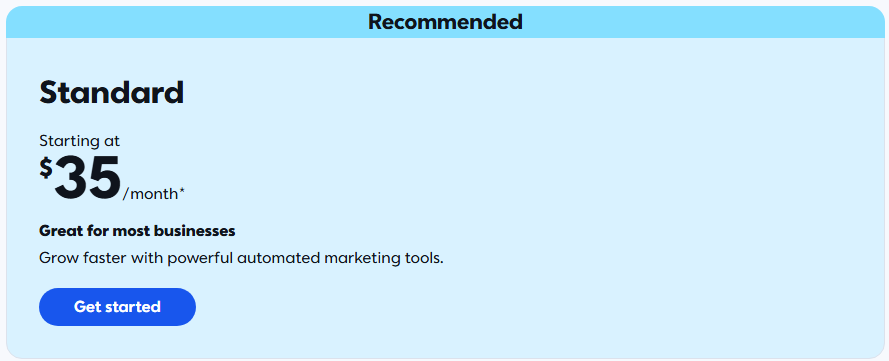
Constant Contact price increases to $35/month once you upgrade to the Standard plan. It’s ideal for businesses looking to elevate their marketing strategy beyond basic email campaigns.
With this mid-tier option, businesses with growing needs can access more sophisticated tools to optimize their email marketing strategies. They can leverage data-driven insights, automate marketing processes, and engage customers across different platforms with multi-channel campaigns.
The Standard plan’s advanced segmentation, A/B testing, and automation features enable marketers to create more targeted, personalized campaigns. As a result, businesses see significantly improved engagement and conversion rates.
You can segment contacts based on various criteria and test different subject lines to optimize your marketing campaigns for efficiency and effectiveness. Meanwhile, pre-built email/SMS workflows and automation capabilities help save time and effort by automating tasks like sending welcome emails and abandoned cart reminders.
Key features of the Standard plan
- A/B testing for subject lines
- Advanced contact segmentation
- Automated email resending to non-openers
- More automation path templates (pre-built email and SMS workflows)
- Subject line personalization and AI-powered recommendations
- Enhanced reporting and analytics
- Multichannel campaign builder
- Social media ads manager
Pros and cons of the Standard plan
| Pros | Cons |
|---|---|
| Multichannel marketing tools | Limited to three users |
| More advanced automation capabilities | Lacks Google Ad Manager integration |
| Advanced segmentation for targeted campaigns | No custom automation paths |
| A/B testing for optimizing campaigns | Limited contact activity segmentation |
| Improved analytics and reporting | Somewhat basic analytics and reporting |
The Constant Contact prices for the Standard plan reflect its enhanced feature set. It offers significantly more value for businesses ready to take their marketing to the next level. Still, users should consider whether they need all the advanced features before committing to this higher-tier plan.
Premium plan
Best for: Large businesses and enterprises requiring advanced marketing tools, unlimited users, and extensive storage capacity
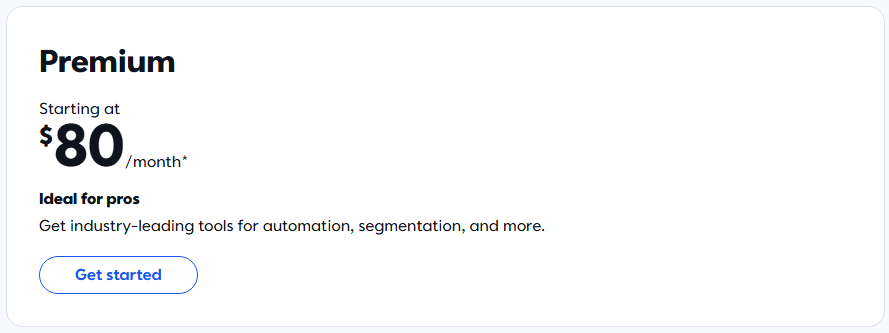
The Premium plan, starting at $80/month for up to 500 contacts, is the most comprehensive offering in Constant Contact’s lineup. It’s designed for businesses with complex marketing needs, multiple team members, and a need for advanced integrations like Google Ads and dedicated SEO tools.
It’s ideal for organizations looking to maximize their digital marketing efforts across multiple channels. At this level of Constant Contact email pricing, you get custom automation, segmentation, reporting capabilities, and more. It’s perfect for businesses running large-scale campaigns.
The Premium plan’s unlimited user accounts make it an excellent choice for agencies or large marketing teams that need collaborative tools and shared resources. This justifies the higher Constant Contact cost for teams that cannot afford restrictive seat limits.
Key features of the Premium plan
- Unlimited user accounts
- Google Ad Manager integration
- Advanced segmentation capabilities
- Advanced reporting and analytics
- SEO recommendations and tools
- Custom automation paths
- Priority customer support
Pros and cons of the Premium plan
| Pros | Cons |
|---|---|
| Comprehensive marketing suite | Highest Constant Contact email pricing |
| Unlimited users for team collaboration | Steep learning curve for some features |
| Advanced segmentation and automation | Significant price jump from Standard plan |
| Google and FB Ads and SEO integration | Overkill for small businesses |
The Premium plan represents the pinnacle of Constant Contact’s offerings, with a cost reflecting its extensive feature set. Leveraged effectively, these Constant Contact services can provide significant value and potentially strong ROI despite the higher cost.
Constant Contact add-on fees and extra costs
Beyond the base Constant Contact rates, it charges for several add-on services that can quickly inflate your bill. When summarizing your total monthly Constant Contact cost, you must factor in these extras:
- SMS marketing: Adding text messaging starts at $10/month for up to 500 messages. If you’re on the Premium plan, 500 SMS messages are already included.
- Inbox preview: If you want to see how your emails render across different clients and devices before sending, that’ll be another $10/month.
- Overage fees: Hitting your monthly send limit triggers an automatic $0.002 charge for every extra email sent.
You can offset some of this damage with annual prepay discounts, which take 10% off for a 6-month commitment and 15% off for 12 months.
Omnisend, on the other hand, builds SMS directly into the platform as a core omnichannel feature instead of treating it as a separate add-on.
Also, keep in mind that leaving the platform is not as simple as it is with most other tools. You can’t simply unsubscribe via the click of a button and be done with it. You’ll need to pick up the phone and call their customer support team to cancel your account.
Quick sign up | No credit card required
Constant Contact pricing for nonprofits
Nonprofits operate on strict budgets, so standard Constant Contact pricing might feel restrictive. To help, the platform offers dedicated discounts for nonprofits.
If you verify your tax-exempt status through their official nonprofit program, you can expect up to a 30% discount on your total Constant Contact cost. If you’re prepaying for 6 months, you get a 20% discount, and if you commit for a full year, you get a 30% discount.
If your nonprofit is registered in the US, you need to submit your Federal government Letter of Determination to be eligible for the discount. If you operate outside the US, you need to provide an equivalent document.
Constant Contact pricing vs. major competitors
When comparing the platform to alternatives like Omnisend, Klaviyo, and Mailchimp, you must see how Constant Contact’s email pricing plans stack up against major competitors.
The table below provides a side-by-side comparison of Constant Contact prices along with Omnisend, Klaviyo, and Mailchimp. The paid-plan prices shown are starting rates. Like Constant Contact, these platforms charge by contact count, so costs rise as your list grows differently:
| Constant Contact | Omnisend | Klaviyo | Mailchimp | |
|---|---|---|---|---|
| Free plan | No | Yes, up to 250 contacts | Yes, up to 250 contacts | Yes, up to 250 contacts |
| Lite plan | $12/month | – | – | $13/month |
| Standard plan | $35/month | $16/month | $20/month | $20/month |
| Premium plan | $80/month | $59/month | $35/month | $350/month |
| Discount for nonprofits | Yes (20% and 30%) | No | No | 15% |
| Prepay subscription discount | Yes (10% and 15%) | Yes (30% for 3 months prepay) | No | No |
| G2 score (as of June, 2026) | 4.2 | 4.6 | 4.6 | 4.3 |
| Capterra score (as of June, 2026) | 4.3 | 4.7 | 4.6 | 4.5 |
When you compare Constant Contact’s cost to an ecommerce-focused platform like Omnisend, the difference in value and return on investment becomes clear. Constant Contact treats basic ecommerce features as premium upgrades, whereas Omnisend provides advanced but intuitive features out of the box.
Additionally, Omnisend gives a generous free plan for up to 250 contacts with the vast majority of ecommerce features available, the SMS workflows are built natively, and the integrations with platforms like Shopify, WooCommerce, and BigCommerce are one-click.

Ecommerce retailer chooses Constant Contact alternative Omnisend
B-Wear drives 40% of its revenue from email. The reason for switching? To understand exactly how much revenue each email campaign generates and enjoy better BigCommerce integration.
Read the B-Wear case study
Which Constant Contact plan should you choose?
Constant Contact’s plans and pricing vary significantly across tiers, so your choice depends on your business needs, list size, and marketing goals.
- Choose Lite if you’re a small business or a solopreneur with a store under 500 contacts, a tight budget, and if all you need is basic email campaigns with no advanced automation capabilities.
- Choose Standard if you’re running an established store, your contact list size has far exceeded 500 (think around 500-10,000), you need A/B testing capabilities, advanced automation features, and more user seats.
- Choose Premium if you’re running a huge store with more than 10,000 subscribers, need unlimited user seats, advanced reporting, dedicated priority support, and the Constant Contact cost doesn’t impact your decision.
One more thing to keep in mind is that Constant Contact doesn’t make it easy to leave the platform. As mentioned before, you’ll need to call them by phone. There’s no option to unsubscribe from your dashboard.
So, having the information you have right now, you should be able to decide how much is Constant Contact worth it for you in the long run. And if Constant Contact’s pricing feels restrictive for your ecommerce needs, Omnisend offers a free plan with ecommerce-specific features.
Still undecided? Explore our guide to compare your options: 10 best email marketing platforms for ecommerce (2026)
Summary
In this article, we’ve explored Constant Contact pricing in depth, from its tiered structure to comparisons with notable competitors.
While different Constant Contact plans and pricing offer a solid range of email marketing features, businesses with a strong focus on ecommerce might find alternative platforms like Omnisend more suitable. The generous free plan that allows testing most features, the reported $79 ROI for every $1 spent, and built-in SMS might make it a more attractive choice for ecommerce-focused brands.
For this reason, it’s crucial to evaluate not just pricing but also how well the tool aligns with your specific business needs and growth goals.
Quick sign up | No credit card required
Frequently asked questions
How much is Constant Contact per month?
Depending on the Constant Contact plan you choose, it may be as low as $12/month for the Lite plan, $35/month for the Standard plan, and $80/month for the Premium plan, + any add-ons you buy.
Does Constant Contact offer a free plan?
No, there’s only a 14-day free trial available, after which you will need to call their customer support by phone if you want to cancel. Otherwise, you’ll be automatically upgraded to the plan you chose once the trial period runs out.
Does Constant Contact charge overage fees?
Yes, if you exceed your standard monthly Constant Contact pricing limitations, they will charge you $0.002 for every extra email sent. For example, if you’re on the cheapest $12/month plan, and you exceeded your monthly quota by 1,000, your monthly total will be $14.
Is Constant Contact good for ecommerce?
It depends on how complex your ecommerce strategies are. For the smoothest experience with Shopify/WooCommerce/BigCommerce integration, SMS workflows, automation, segmentation, reporting, and more, Omnisend is one of the best platforms in the market that also comes with a generous free plan.